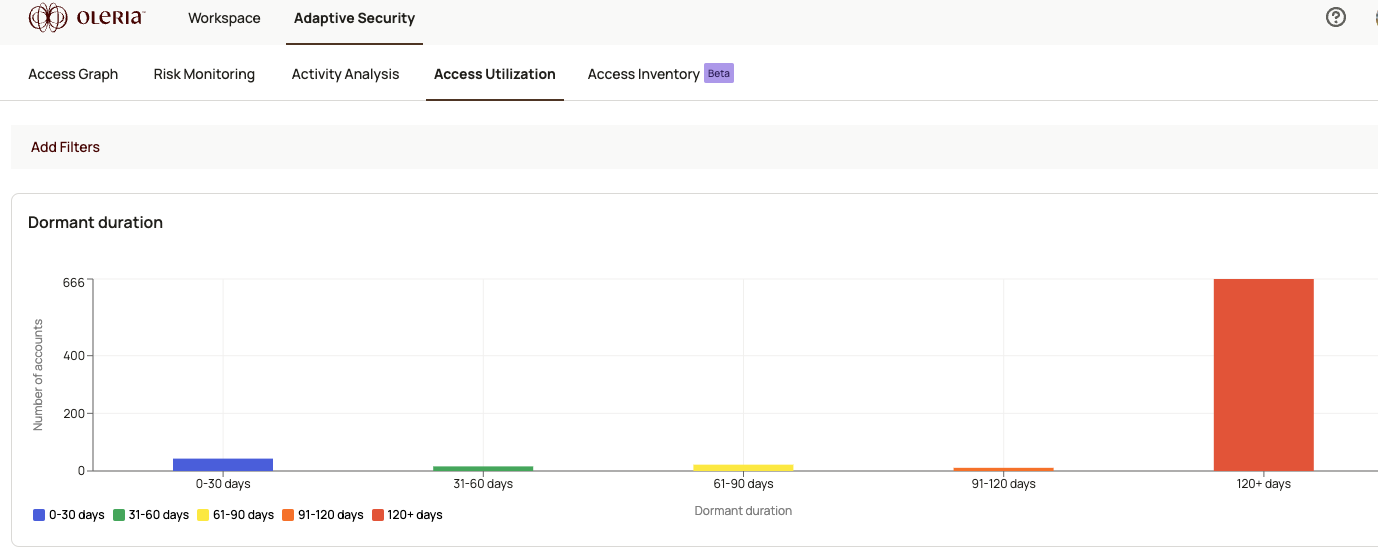
The account utilization chart gives you a quick visual of dormancy across your user and machine accounts. Any account inactive for more than 30 days is considered dormant. The chart categorizes accounts by inactivity duration so you can prioritize remediation - removing access to inactive accounts improves security, reduces active license costs, and supports compliance requirements.
Use the chart to gauge the overall health of account access across your environment at a glance. A large proportion of accounts in the orange and red ranges signals that your least-privilege posture needs attention.From here, navigate to Account utilization details to drill into per-account data - including dormant days, application role, MFA status, and license type - and take targeted remediation action.To act on dormant accounts directly, see Disable dormant accounts.