

Documentation Index

Fetch the complete documentation index at: https://docs.oleria.com/llms.txt

Use this file to discover all available pages before exploring further.

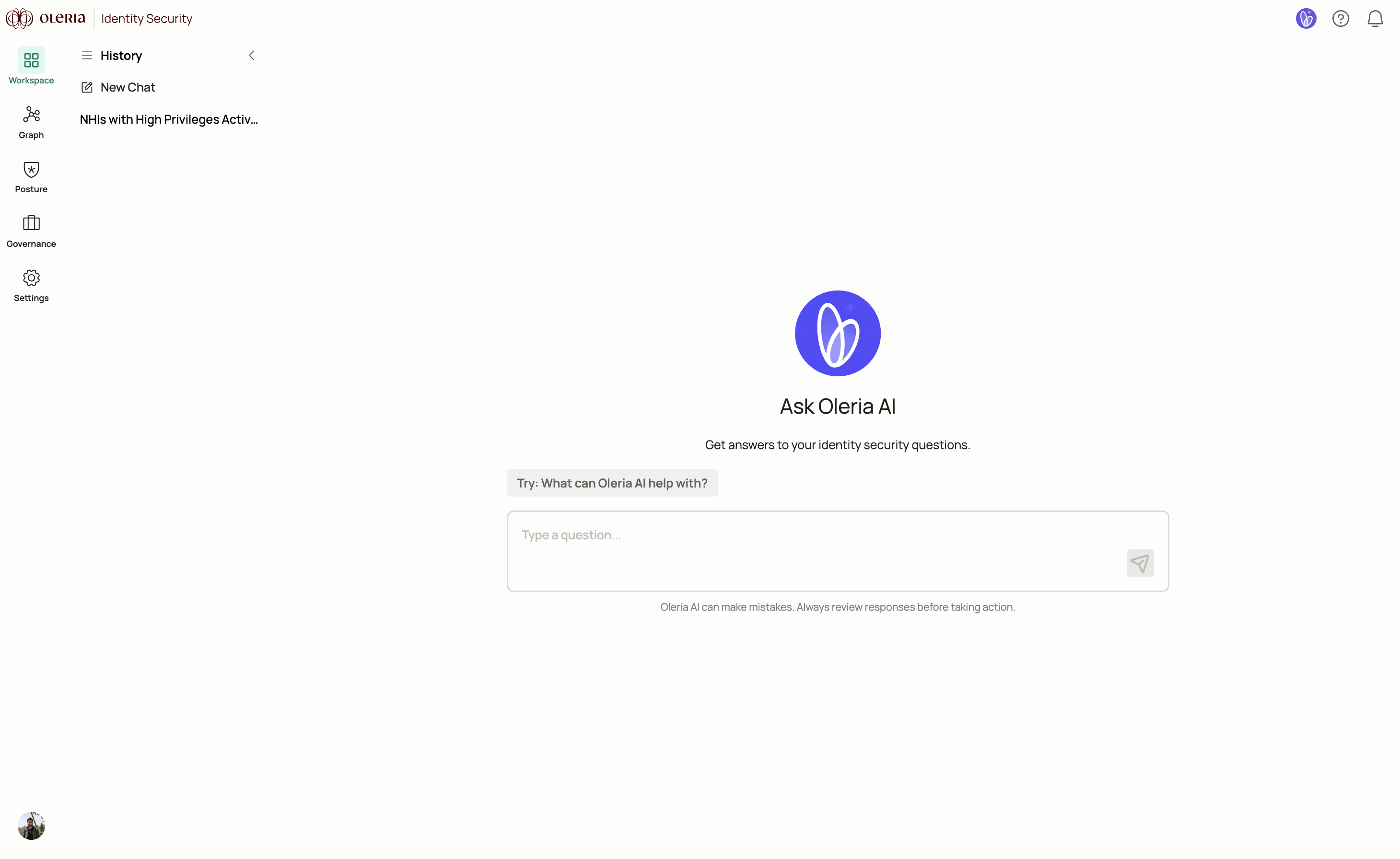
Oleria AI is an AI assistant built directly into the Oleria platform. It lets your security team ask questions about identity and access in plain language and get immediate answers - without writing queries, pulling reports, or switching between tools. Oleria AI home screen showing the natural language query interface

How Oleria AI works

Oleria AI draws on your complete identity and access data across cloud, SaaS, and on-premises environments. You can use it to:
  • Ask natural language questions and get context-specific answers about your security posture for human, non-human, and AI identities
  • Surface hidden identity vulnerabilities - inactive administrator accounts, over-privileged access, security misconfigurations - and resolve them before incidents occur
  • Monitor access risks in real time across cloud, SaaS, and on-premises systems, reducing manual effort while improving identity security coverage
  • Accelerate response by connecting directly to identity governance policies and automating security workflows to maintain least privilege across all identity types
To access Oleria AI, navigate to Oleria AI under the Workspace section in the Oleria platform.

Sample prompts

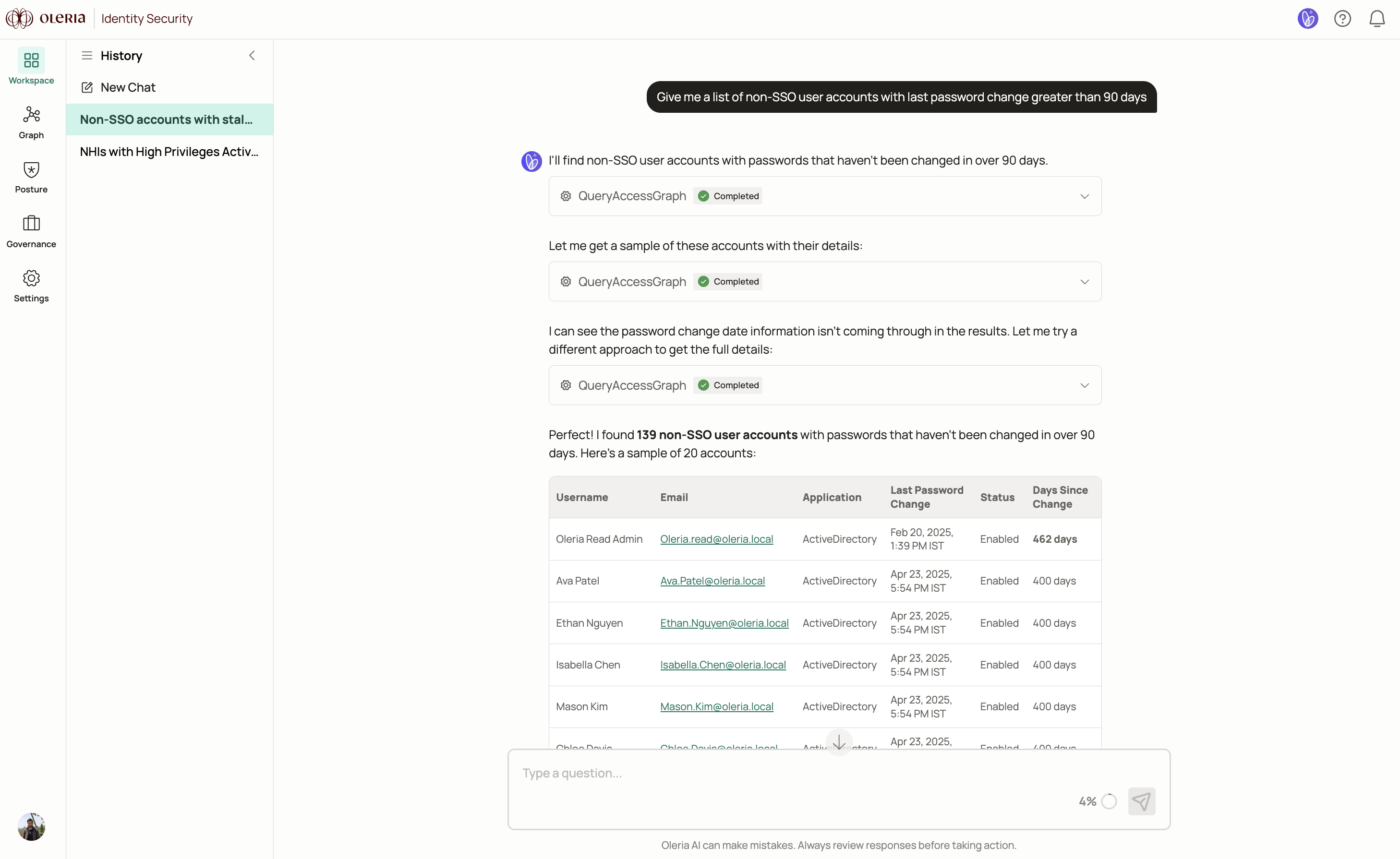
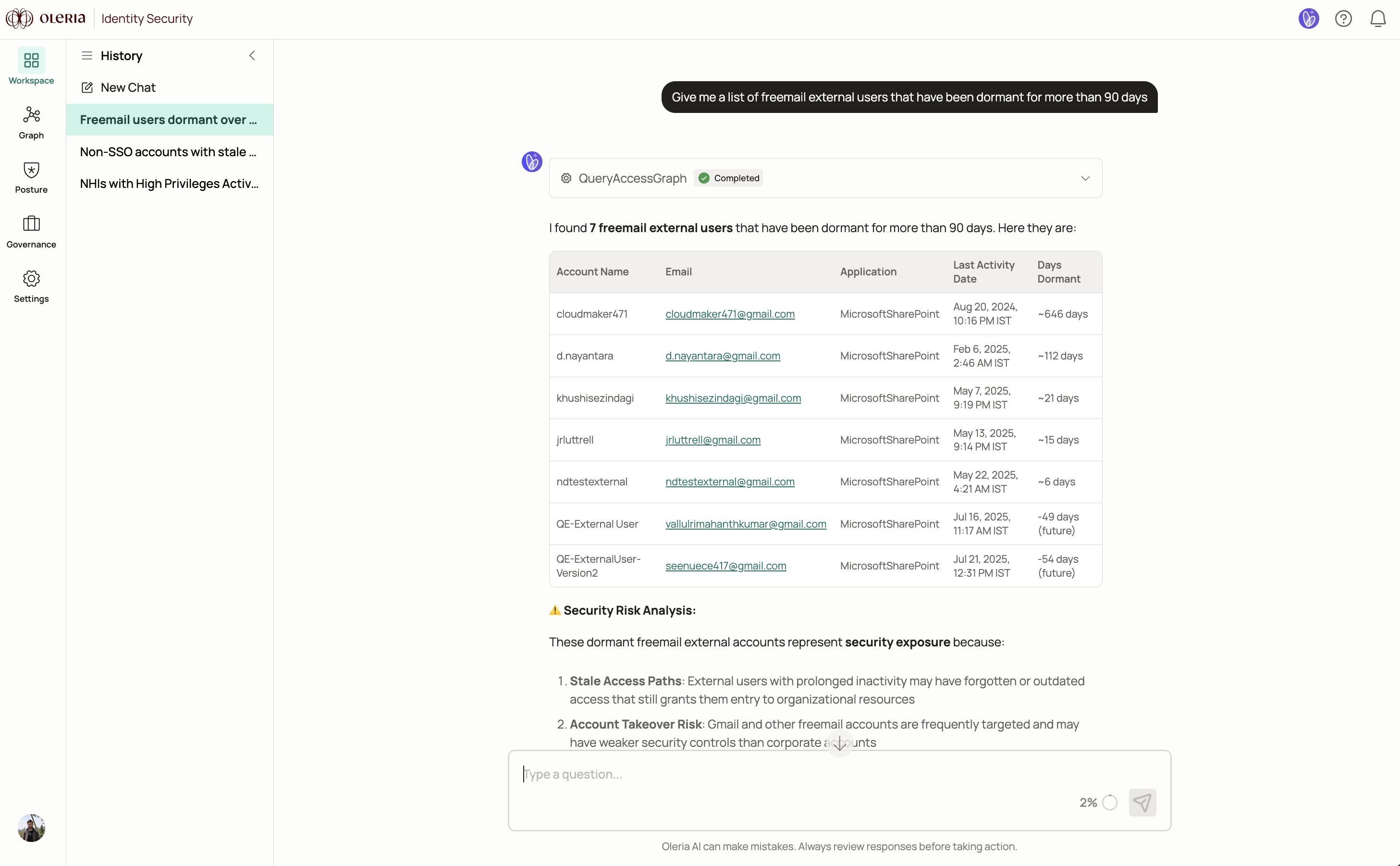
Q: Give me a list of non-SSO user accounts with last password change greater than 90 days Oleria AI response listing non-SSO user accounts with last password change greater than 90 days Q: Give me a list of freemail external users that have been dormant for more than 90 days Oleria AI response listing freemail external users dormant for more than 90 days
Contact us

For questions, contact us at support@oleria.com.