

1
Open Manage Users
Log into the Oleria workspace. Select your avatar in the upper right corner, then choose Manage Users from the dropdown.
2
Select the user
Click the row for the user whose roles you want to change.
3
Click Change role
Select Change role.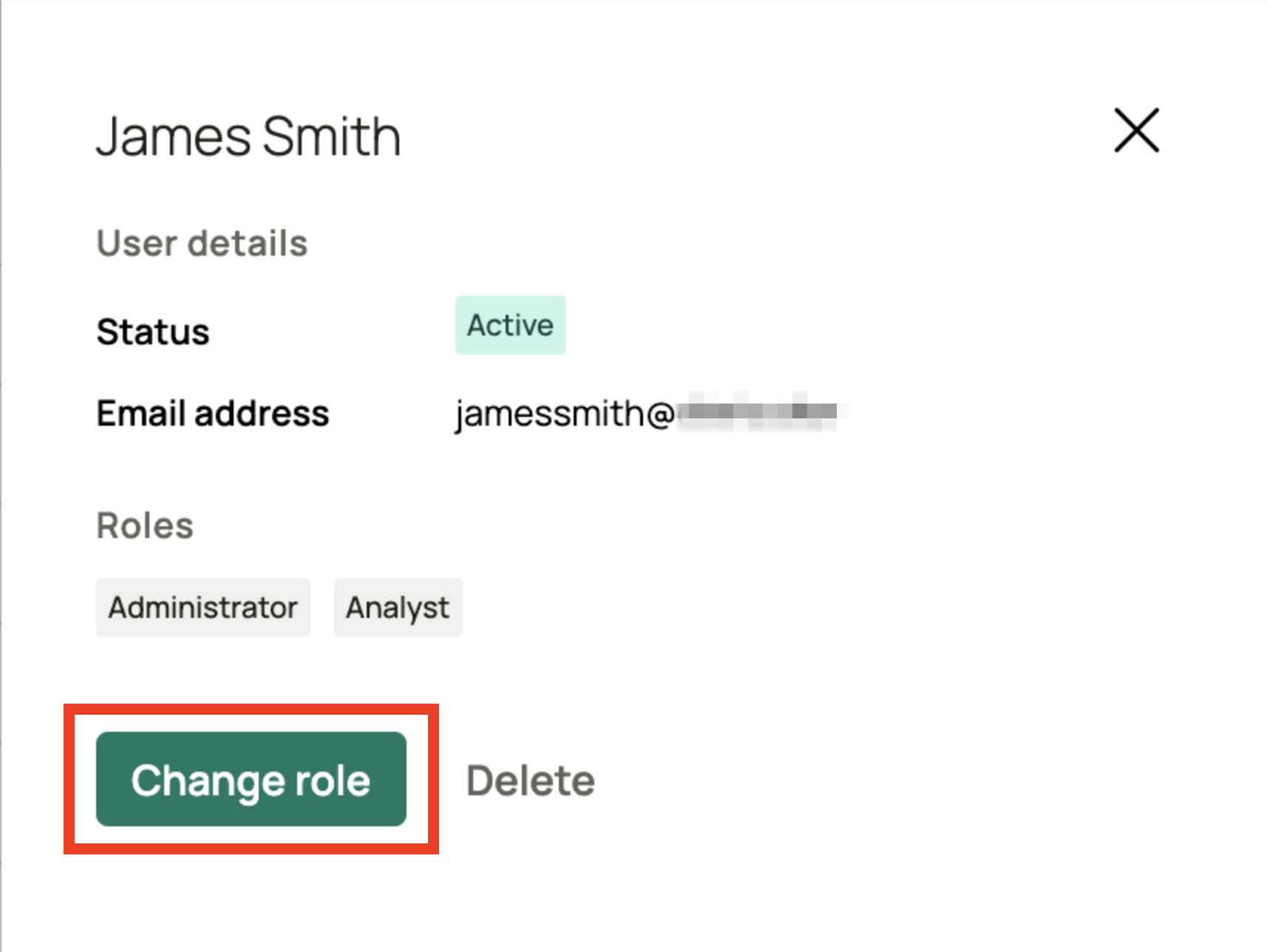
4
Select the roles
In the Assigned roles list, select one or more roles for the user. This replaces the user’s full set of assigned roles, so make sure every role you want them to keep is still selected. See Default user roles for a description of each role.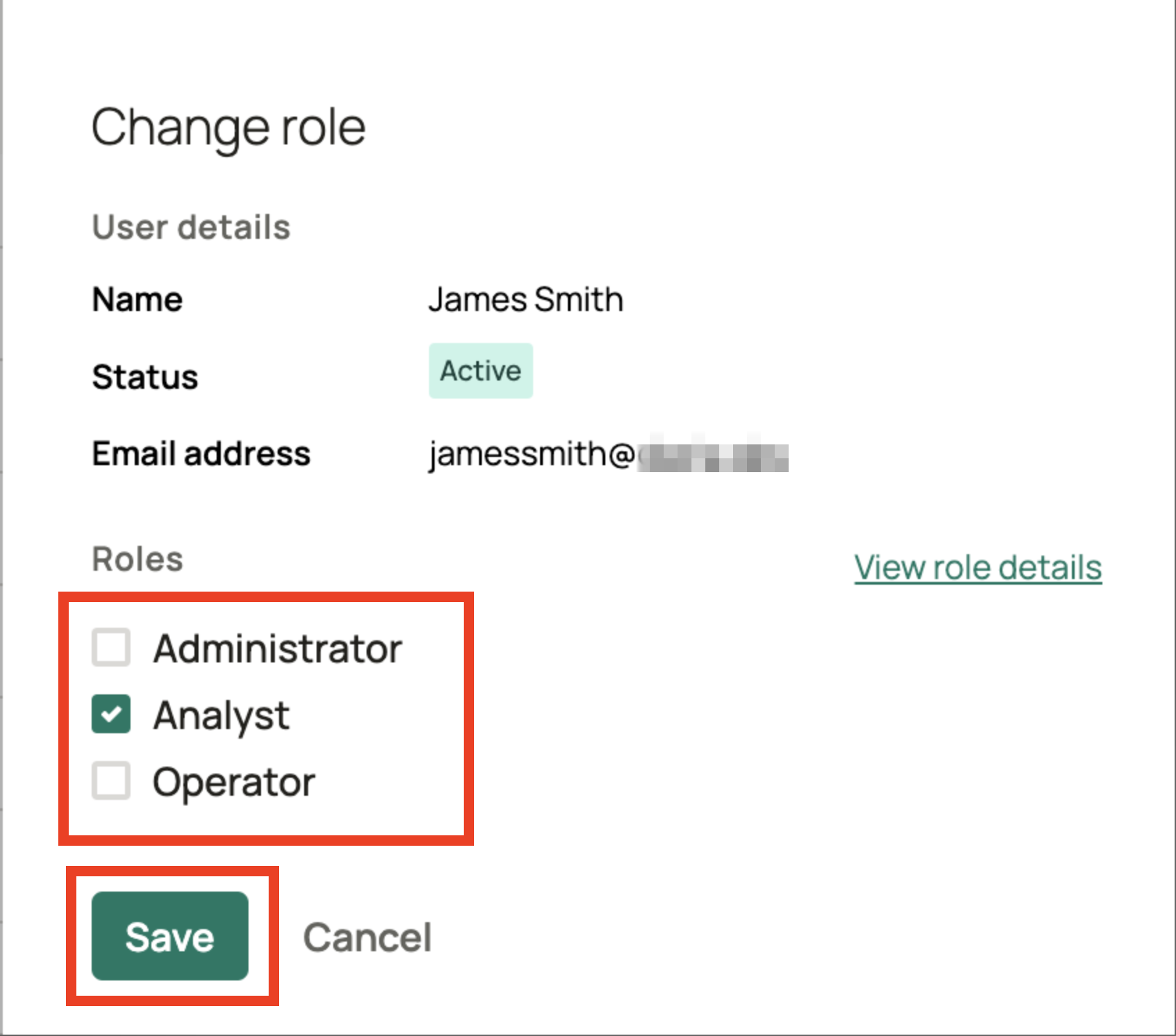
5
Save the change
Click Save. A status notification confirms the update..png)
6
Verify the updated roles
The user list now shows the updated roles for the user.