

Weekly risk summary
The weekly risk summary gives administrators a consolidated view of security risks identified in their environment over the past week. Recipients: All Oleria administrators Frequency: Weekly The email includes:- A summary of risk metrics from the past week
- Highlighted risks categorized by access, identity, and security
- Direct links to the Risk Monitoring page in Oleria for immediate action
Review the weekly risk summary
1
Review the risk metrics
Open the email and review the summarized risk metrics for the week.
2
Click View risks
Select View risks to open the Risk Monitoring page in Oleria with full risk details.
3
Take action
Mitigate the risk in the relevant SaaS application, or create a ServiceNow ticket to alert your security team.
Weekly dormant account summary
The weekly dormant account alert helps administrators stay on top of unused accounts that could pose a security risk. Recipients: All Oleria administrators Frequency: Weekly The email includes:- A list of user accounts dormant for 90 days or more
- Accounts categorized by application type
- Count of accounts by duration of inactivity
- Total dormant account count
Review the weekly dormant account summary
1
Review inactive accounts
Open the email and review the list of dormant accounts.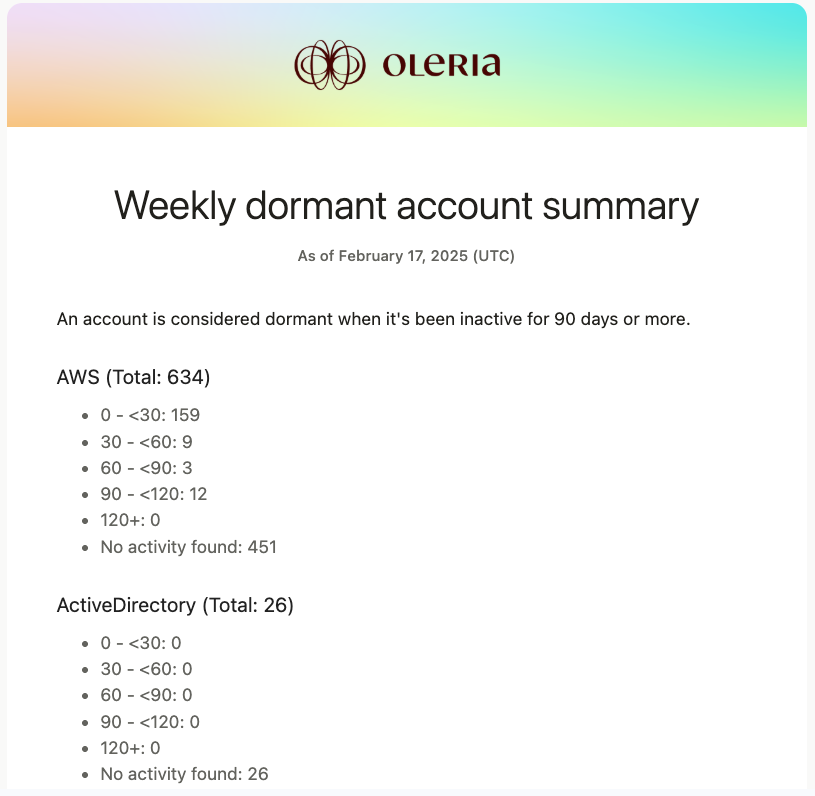
2
Click View dormant accounts
Select View dormant accounts to open the Account Hygiene page in Oleria.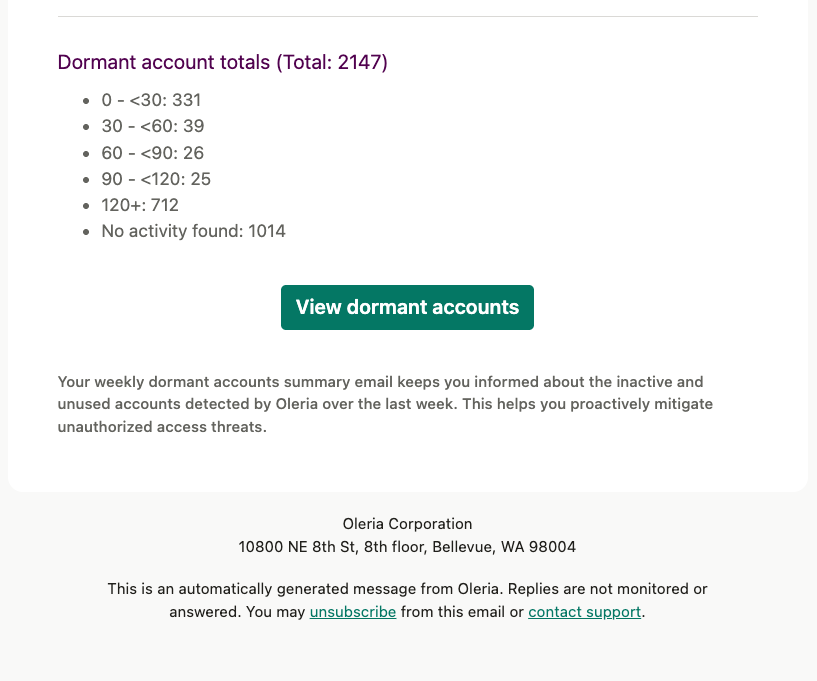
3
Investigate and remediate
Review the listed accounts and disable any that are no longer needed.