

Documentation Index

Fetch the complete documentation index at: https://docs.oleria.com/llms.txt

Use this file to discover all available pages before exploring further.

Activity details provide the contextual attributes of each logged action, giving you the data needed to detect anomalies, investigate security incidents, identify trends, and understand user behavior patterns.

Activity details table

The table lists each recorded action with the following fields:
FieldDescription
TimestampThe date and time when the activity occurred.
Activity typeThe category of activity, e.g., admin_login_attempt, drive_access.
ActivityThe specific action performed, e.g., “Anthony Lee downloaded Board Deck.”
Account nameThe name of the account holder, e.g., Anthony Lee.
Initiated byThe user or machine account that initiated the activity, e.g., anthony@pando.com.
IP addressThe IP address associated with the activity.
Select any row to open a side panel with additional account details. Activity details table with a row selected and the side panel open
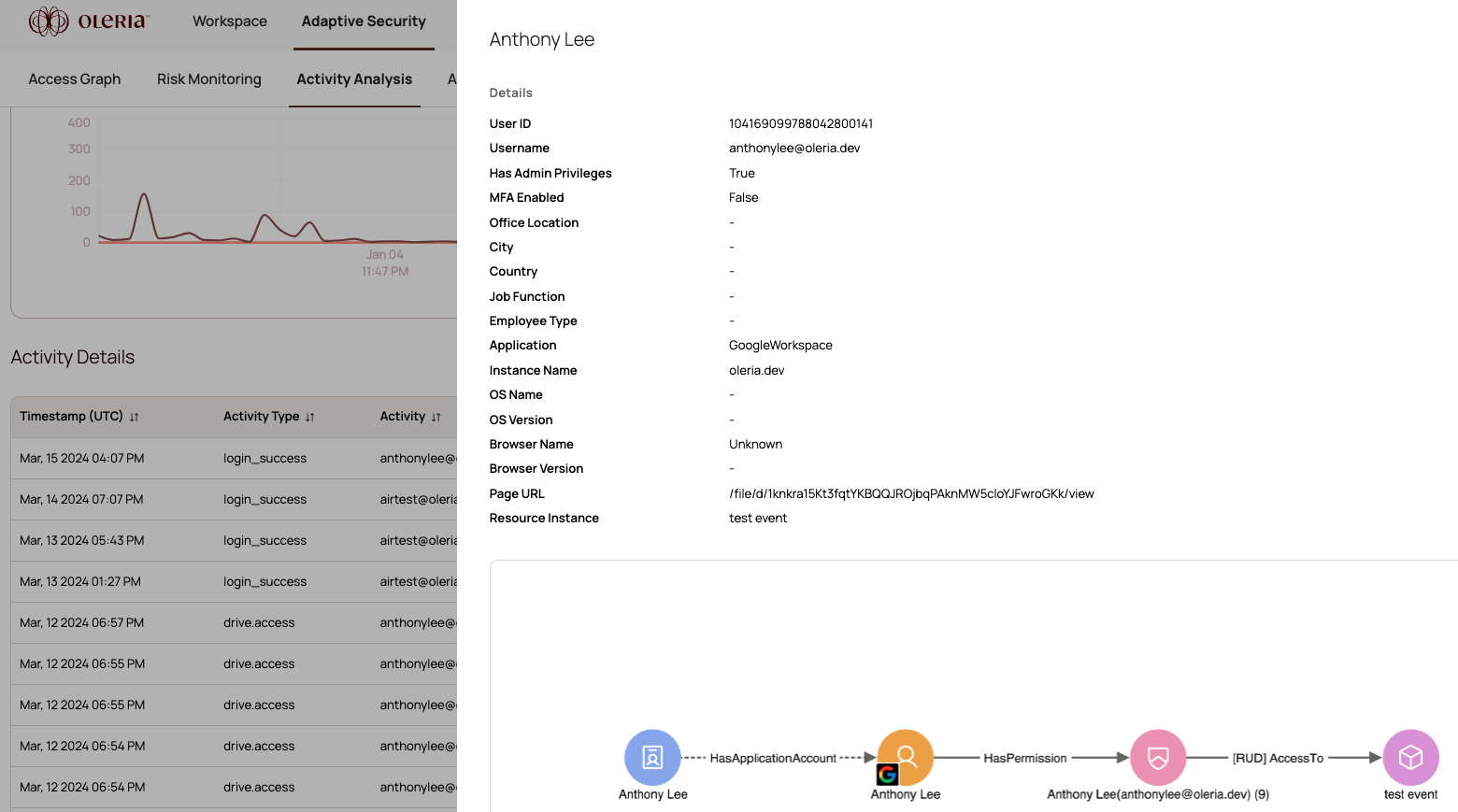
Side panel fields

FieldDescription
User IDThe unique identifier for the user.
User nameThe unique username for the account.
Has admin privilegesWhether the user has administrator privileges.
MFA enabledWhether multi-factor authentication (MFA) is enabled for the user.
Office locationThe user’s office location.
CityThe city from which the user accessed the application.
CountryThe country from which the user accessed the application.
Job functionThe job function assigned to the account.
Employee typeThe user’s categorization based on role, employment status, or hierarchy.
ApplicationThe application the account has access to, e.g., Salesforce.
Instance nameThe specific application instance, e.g., salesforce.prod.
OS nameThe operating system used when accessing the application.
OS versionThe version of the operating system.
Browser nameThe browser used when accessing the application.
Page URLThe URL of the resource instance.
Resource instanceThe name of the resource instance involved in the activity.
The side panel also shows a sub-graph - a visual of the groups and permissions associated with the selected activity.

Contact us

For questions, contact us at support@oleria.com.