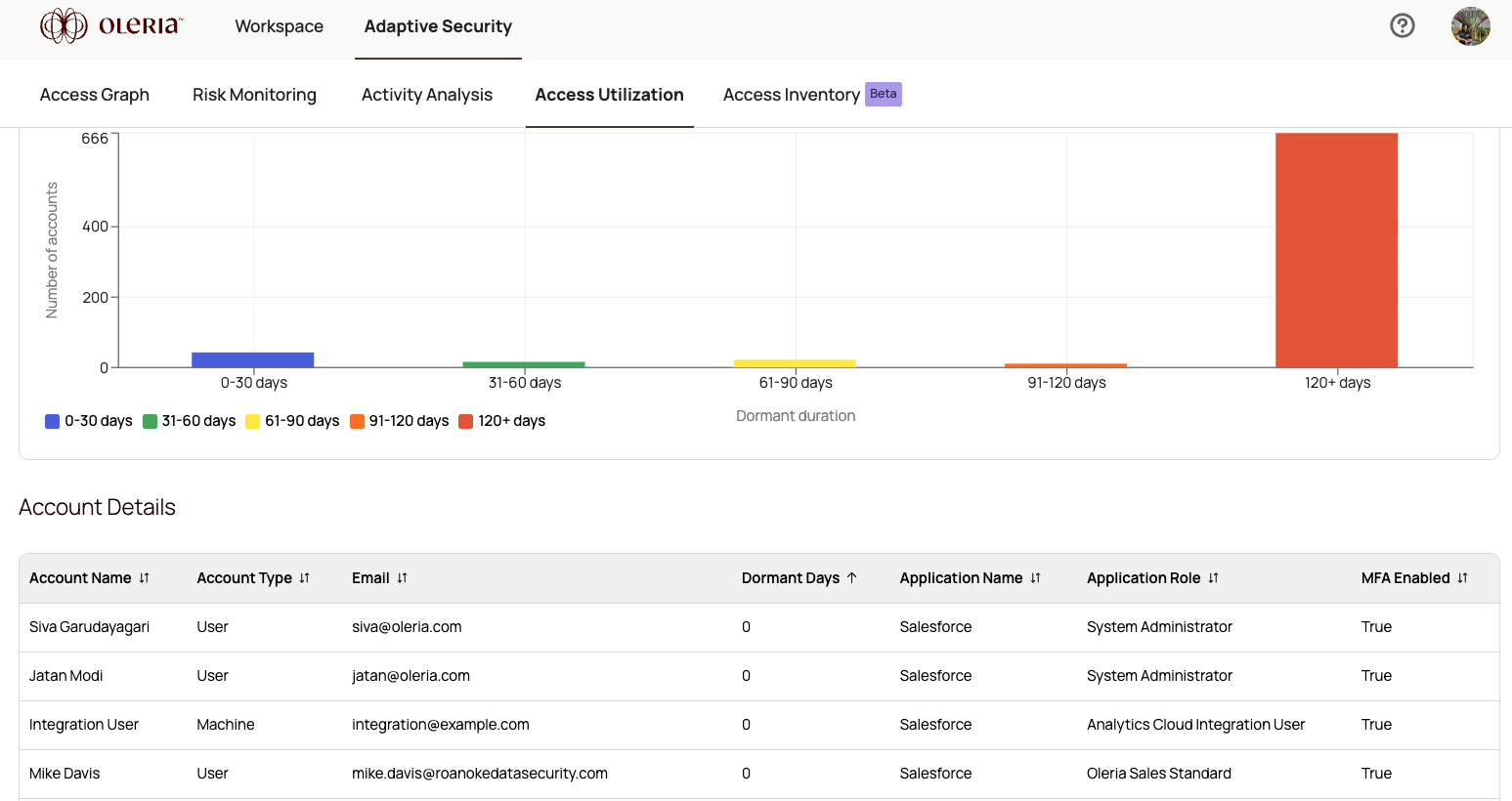
The account utilization table gives you a per-account breakdown of activity, configuration, and access details. Use it to identify dormant, misconfigured, or over-privileged accounts across your connected applications.Documentation Index
Fetch the complete documentation index at: https://docs.oleria.com/llms.txt
Use this file to discover all available pages before exploring further.
Table columns
| Field | Description |
|---|---|
| Account Name | The name of the account holder - for example, Chris Green. |
| Account Type | Whether the account is a user or machine. |
| The email address associated with the account. | |
| Dormant Days | The number of days the account has been inactive. |
| Application Name | The application to which the account has access - for example, Salesforce. |
| Application Role | The account’s designated role within the application - for example, System Administrator. |
| MFA Enabled | Whether multi-factor authentication (MFA) is enabled for the account. |
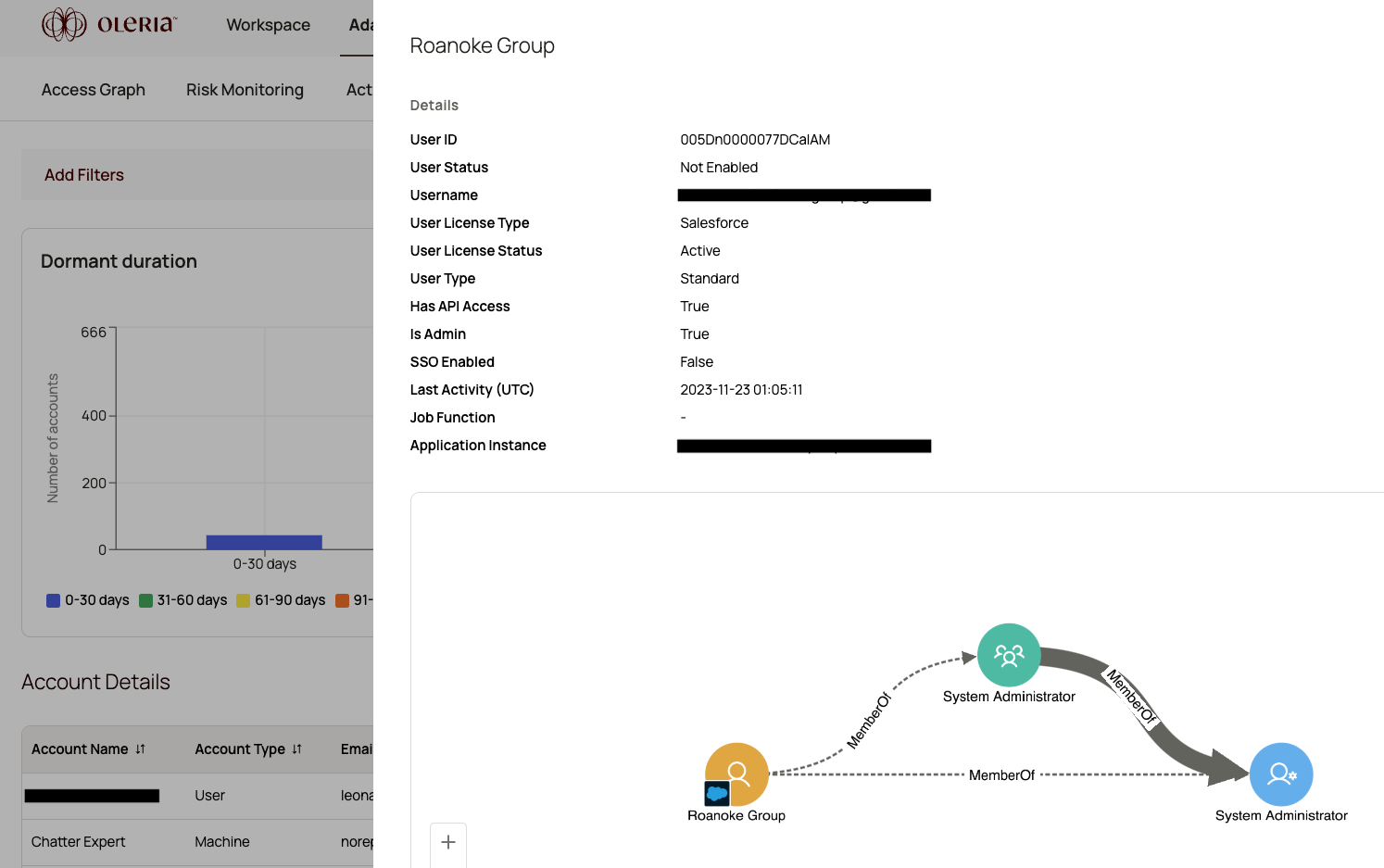
Side panel details
Selecting a row opens a side panel with additional information about the account.
| Field | Description |
|---|---|
| User ID | The unique ID for the user. |
| User Status | Whether the user is enabled or disabled. |
| UserName | The unique identifier for the user. |
| User License Type | The type of license assigned to the user. |
| User License Status | The status of the license assigned to the user. |
| Has API Access | Whether the account has API access permissions. |
| Is Admin | Whether the user has administrator privileges. |
| SSO Enabled | Whether the account is SSO-enabled. |
| Last Activity | The last action performed by the account. |
| Job function | The job function assigned to the account. |
| Application Instance | The application instance - for example, “salesforce.prod.” |