

What Oleria discovers
Once connected, Oleria continuously discovers and maps the following from your Hugging Face organization:- Accounts - every organization member, with their username, full name, organization role, and account creation date. On Team and Enterprise plans, Oleria also reads each member’s two-factor authentication status, verified email, and last activity.
- Outside users - people who aren’t organization members but were granted access to one of your public gated models or datasets. They appear as external accounts.
- Public access - an Anyone (public Hugging Face access) account that represents read access to your public models, datasets, collections, and the apps of protected Spaces.
- Roles - the five organization roles (Admin, Write, Contributor, Read, and No access) and the member who holds each one.
- Resource groups - on Team and Enterprise plans, each resource group, its members, and each member’s role in the group.
- Resources - your organization and every model, dataset, Space, and collection it owns, with their visibility (public, private, or protected) and gating.
- Effective access - who can reach each resource, and why. Access comes from the organization role, a resource-group role, an approved gated-access request, or public visibility. Oleria combines them into one entry per person and resource.
- Non-human identities - the Oleria connection’s access token and, with the optional Write contents/settings of repos in selected orgs permission, the names of the secrets stored on your Spaces (secret values are never read). On Team and Enterprise plans, Oleria also discovers every access token that can reach the organization, with its scopes, owner, and last use, and on Enterprise plans, your service accounts.
- Activity - on Team and Enterprise plans, organization audit log events such as member and role changes, repository changes, SSO logins, and token approvals.
Prerequisites
- Admin access on the Oleria platform to add a new integration.
- The Admin role in your Hugging Face organization, so you can grant the access token the organization permissions below.
-
Some data requires a paid Hugging Face plan:
On a lower plan, Oleria skips what the plan doesn’t include and syncs everything else.
Create a Hugging Face access token
1
Create a fine-grained token
In Hugging Face, go to Settings -> Access Tokens -> Create new token. Select the Fine-grained token type, enter a Token name such as 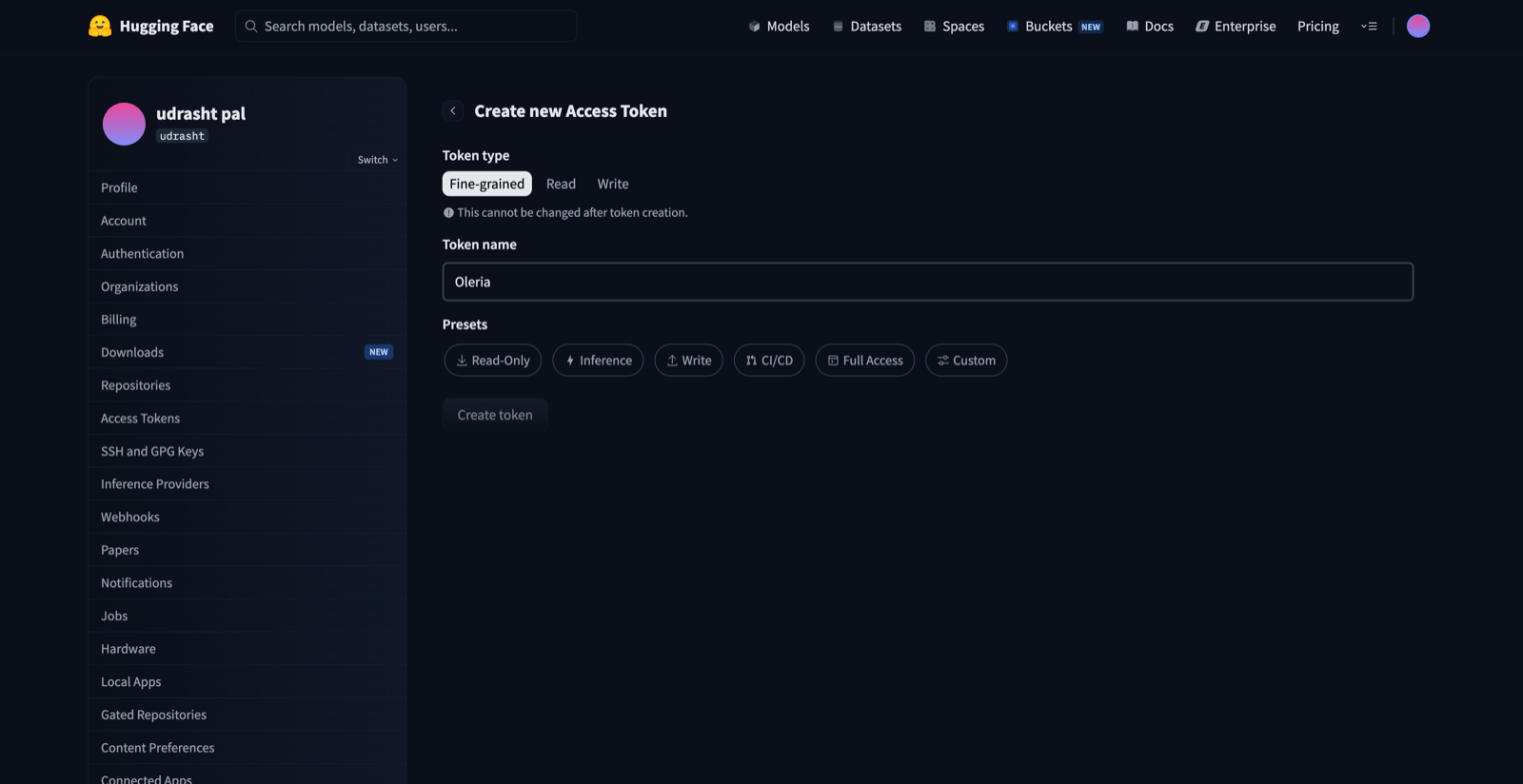
Oleria, and select the Custom preset.2
Grant organization permissions
Under Org permissions, search for and select the organization you want to connect, then select these boxes: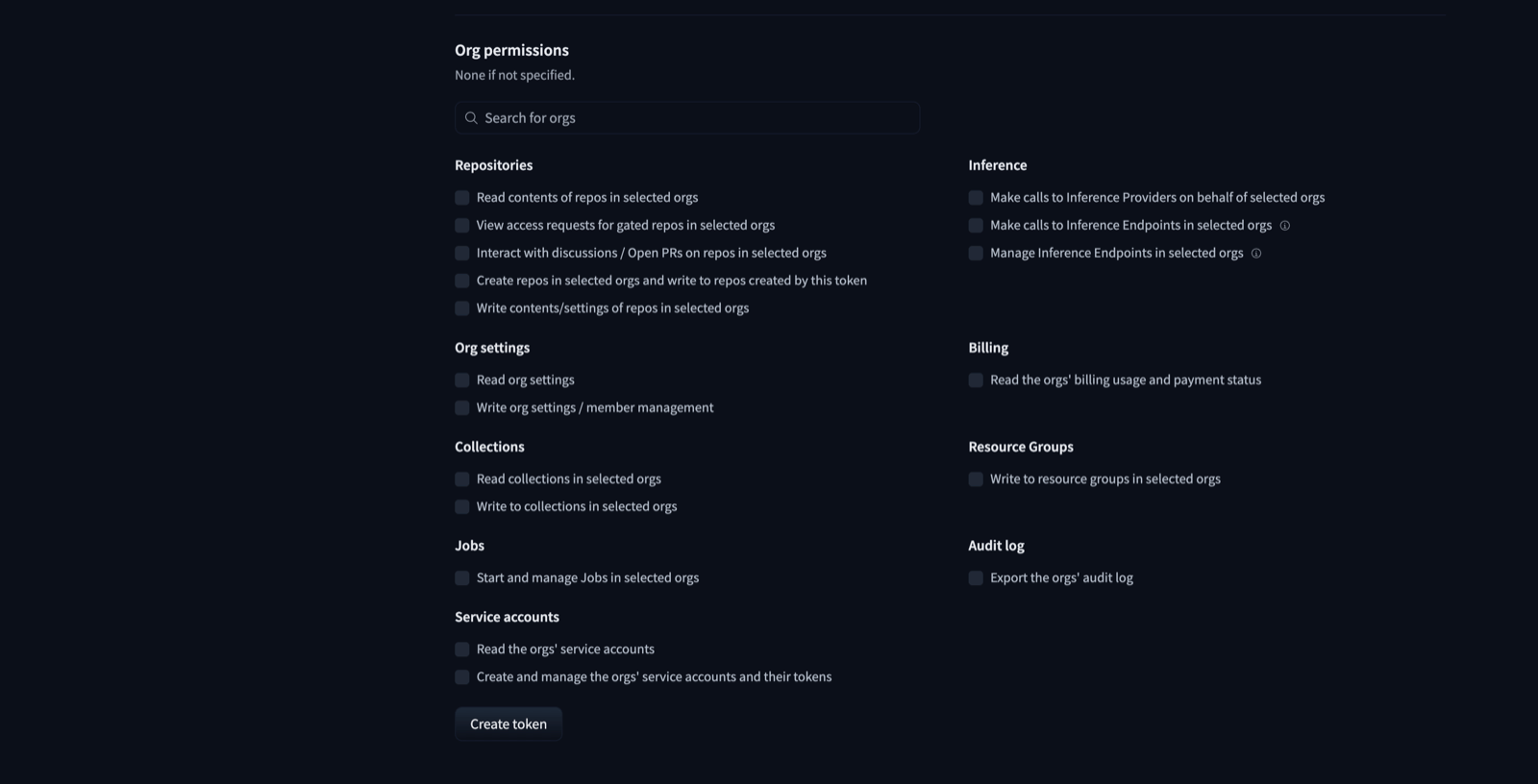
To let Oleria take remediation actions, also select:
3
Copy the token
Select Create token and copy the token.
Hugging Face shows the token value only once, when you create it. Copy it now and store it securely.
Connect Hugging Face to Oleria
1
Open the integration
Go to your Oleria workspace, select Integrations, then select the Hugging Face tile.
2
Complete the connection form
Fill in the connection form:
3
Confirm the connection
Select Authenticate. Oleria checks that the token is valid, that its owner belongs to the organization, and that it can read the organization’s members, and rejects the connection otherwise.
Verify the integration
Confirm the organization appears on the Connected tab of your Oleria Integrations page. After the first sync completes, you can review the discovered accounts, roles, resources, and access in your Oleria workspace.Hugging Face access tokens don’t expire. If you revoke or replace the token in Hugging Face, update Access token in Oleria by editing the integration. A connection can’t be moved to a different organization - create a new integration instead.
Remediation actions
Oleria can take these actions in Hugging Face when the token has the matching remediation permission:
Oleria never removes or lowers the access of the user who owns the connection’s token, and never lowers the organization’s last admin. If a user’s state already matches the action, Oleria makes no change.
Oleria doesn’t offer to disable access tokens, service accounts, or Space secrets. Hugging Face can only revoke or delete them permanently, so the action couldn’t be undone.
Known limitations
- Plan-dependent data. Two-factor status, emails, last activity, resource groups, the access-token inventory, and the audit log need a Team or Enterprise plan, and service accounts need Enterprise. On a lower plan these fields report as unavailable or empty.
- Emails only for verified domains. Hugging Face shows a member’s email to admins only on Team and Enterprise plans, and only when it matches the organization’s verified domain or SSO configuration.
- No login history. Hugging Face doesn’t expose a last-login time. Last activity is the latest of the member’s token use and audit log activity, so it’s available on Team and Enterprise plans only.
- Authentication methods and password changes aren’t available. The Hub API doesn’t expose them.
- Contributor write access is shown as read. A member with the Contributor role can write to the repositories they created. Hugging Face doesn’t record who created a repository, so Oleria shows contributor access as read.
- Audit log depth. Hugging Face exports at most the last 100,000 audit events. Older events aren’t available.