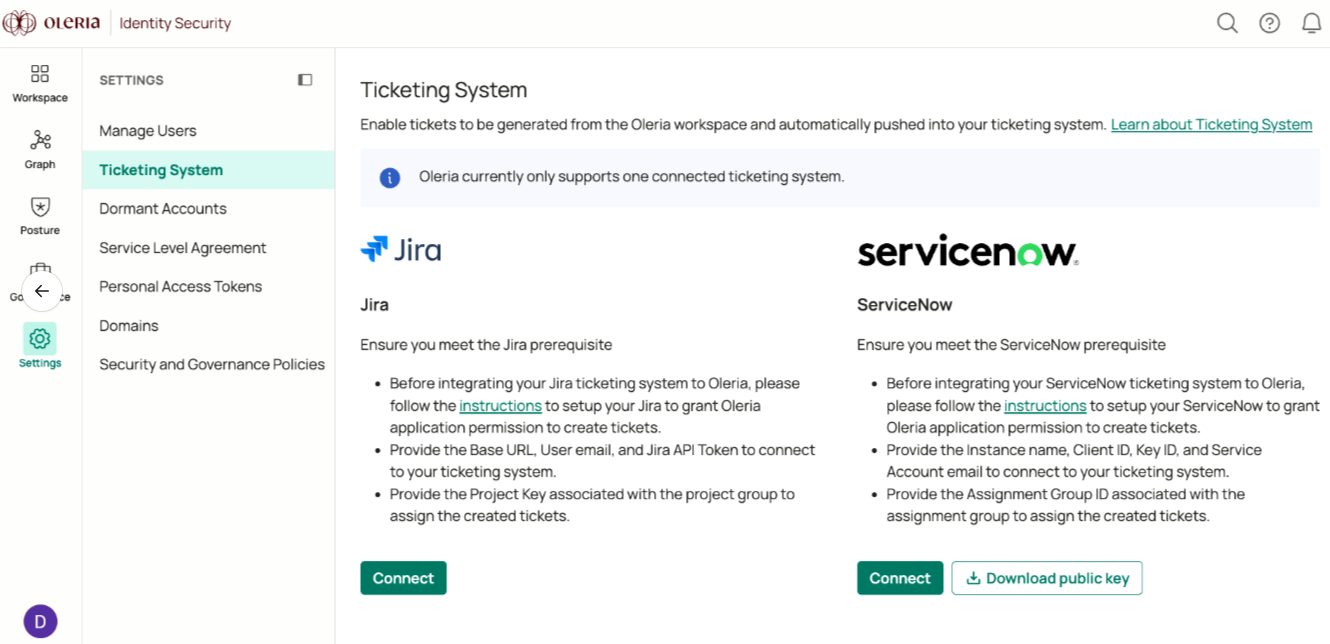

Prerequisites
- A user with create permissions
- The Jira base URL
- The Jira project where tickets should be created
Create an API Token in Jira
1
Open Atlassian account settings
Navigate to your Jira instance, select Settings, and select Atlassian account settings.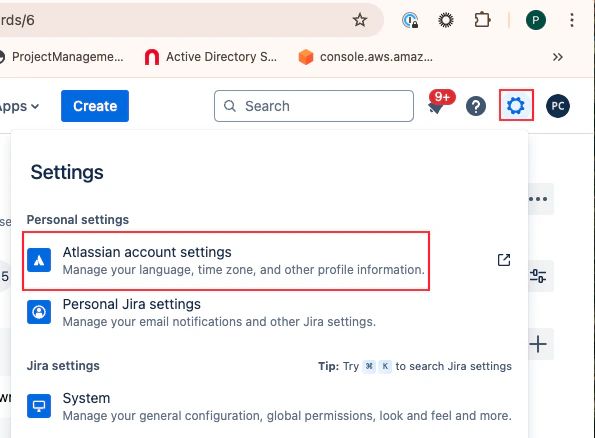
2
Open API token management
Select Security and select Create and manage API tokens.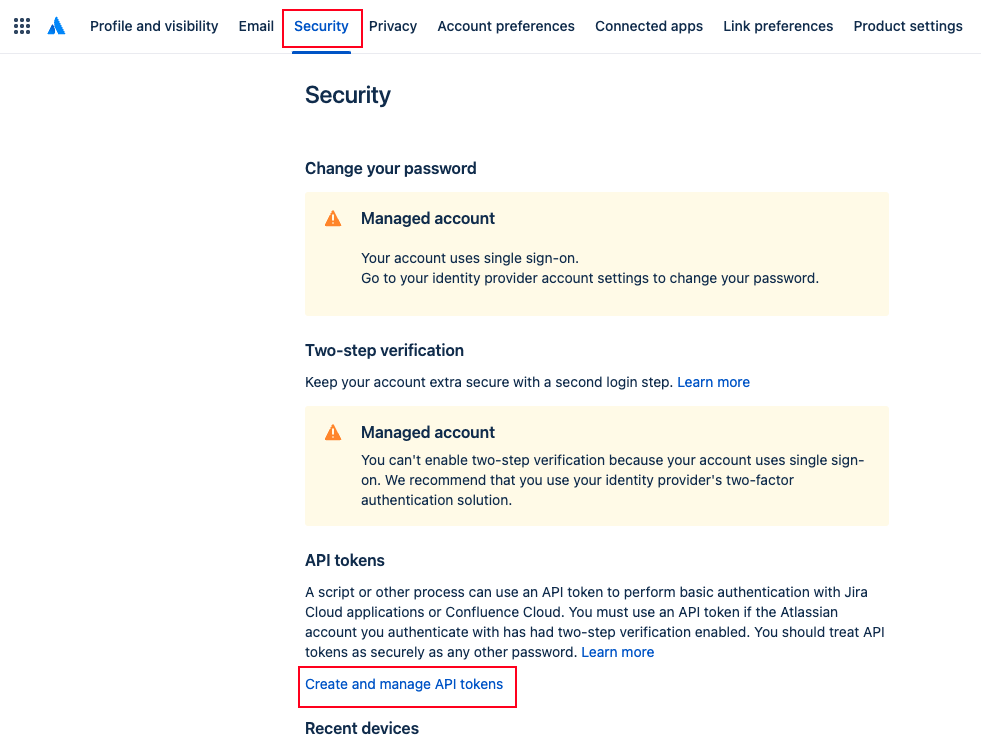
3
Create a new API token
Select Create API token, give it a name (for example, Oleria integrator), and set an expiration date.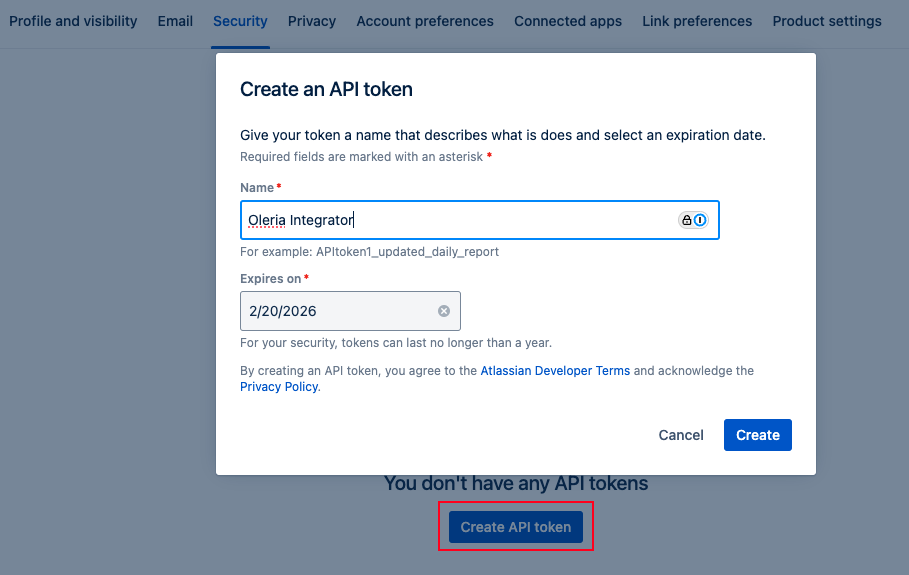
When the token expires or you decide to revoke it, you must remove the Jira ticketing integration from Oleria and re-add it with a new API token. Token updates are supported in upcoming releases.
4
Copy the token
Copy the generated token.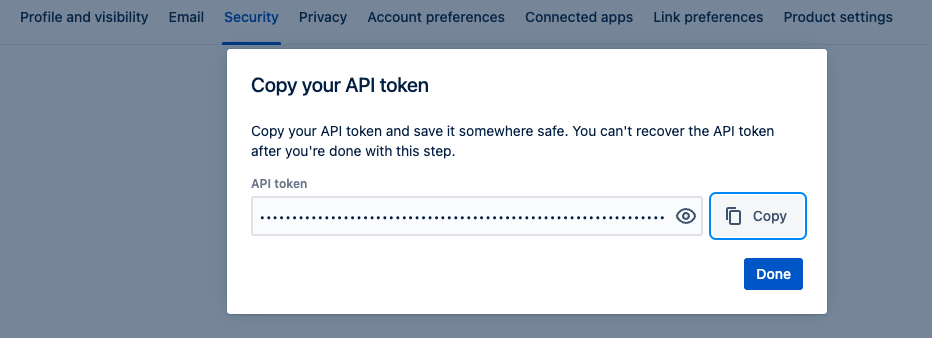
Connect Jira to Oleria
1
Open the ticketing system settings
Go to your Oleria workspace, navigate to Settings → select Ticketing System → select Jira Connect.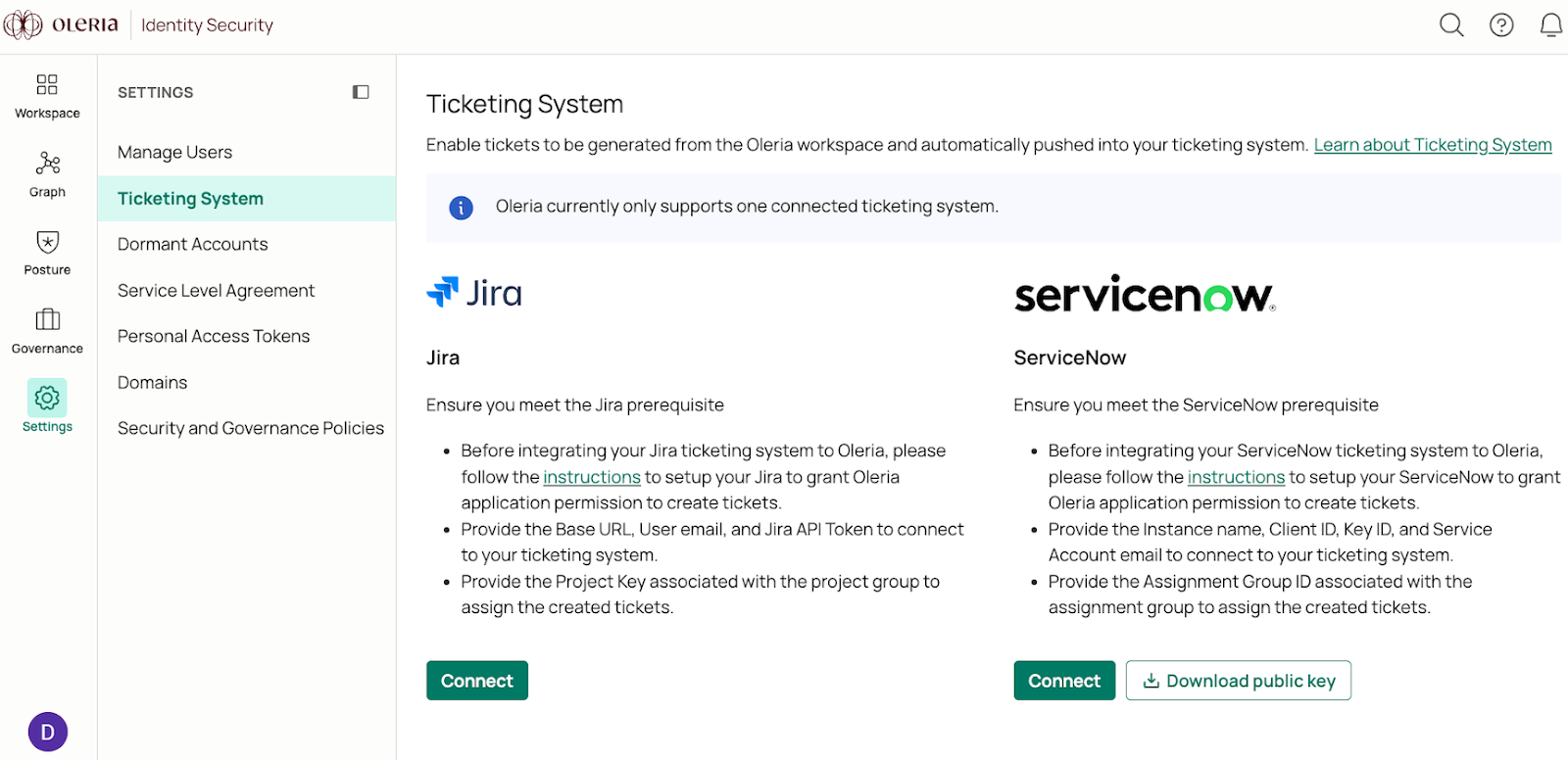
2
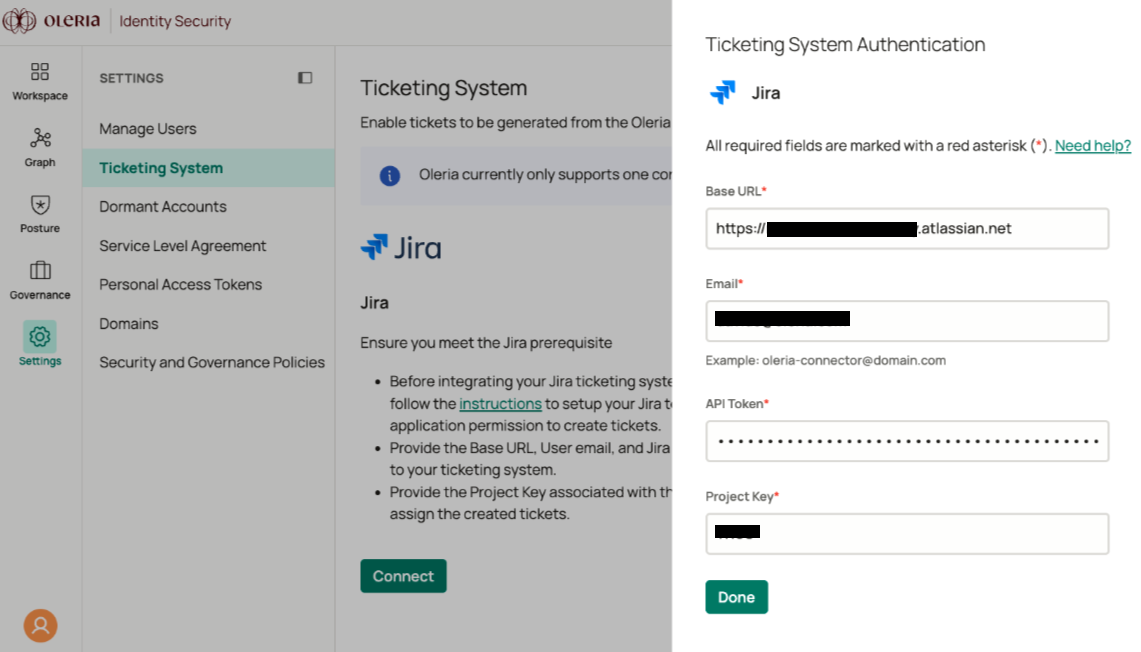
Complete the connection form
A side panel opens. Provide the following details:
- Base URL - your Jira instance URL
- Email - the user email with create permissions
- API token - the token copied in the previous section
-
Project key - your Jira project name
3
Confirm the connection
You will see the Jira integration in your Oleria workspace. Select View Details to view the Jira integration status.