

What Oleria discovers
Once connected, Oleria continuously discovers and maps the following from your PagerDuty account:- Accounts - every user in the account, along with their account-level role (owner, admin, user, limited user, observer, restricted access, read-only user, or read-only limited user).
- Teams - all teams and their membership, including the scoped role each member holds on that team (observer, responder, or manager).
- Account roles - the eight fixed account-level roles PagerDuty defines.
- Services and escalation policies - every service and escalation policy, including which teams are assigned to each.
- Audit activity - account-wide audit events such as user lifecycle changes and access configuration changes.
Audit activity requires a Business or Enterprise PagerDuty plan. On Free or Team plans, Oleria syncs without audit activity - discovery of accounts, teams, services, and escalation policies is unaffected.
Prerequisites
- PagerDuty admin role, to create API keys or register OAuth apps
- API token or OAuth app credentials ready before connecting in Oleria (see the next section)
Use a service account rather than a personal employee account for the integration to ensure continuity if the employee leaves or changes roles.
Connect PagerDuty to Oleria
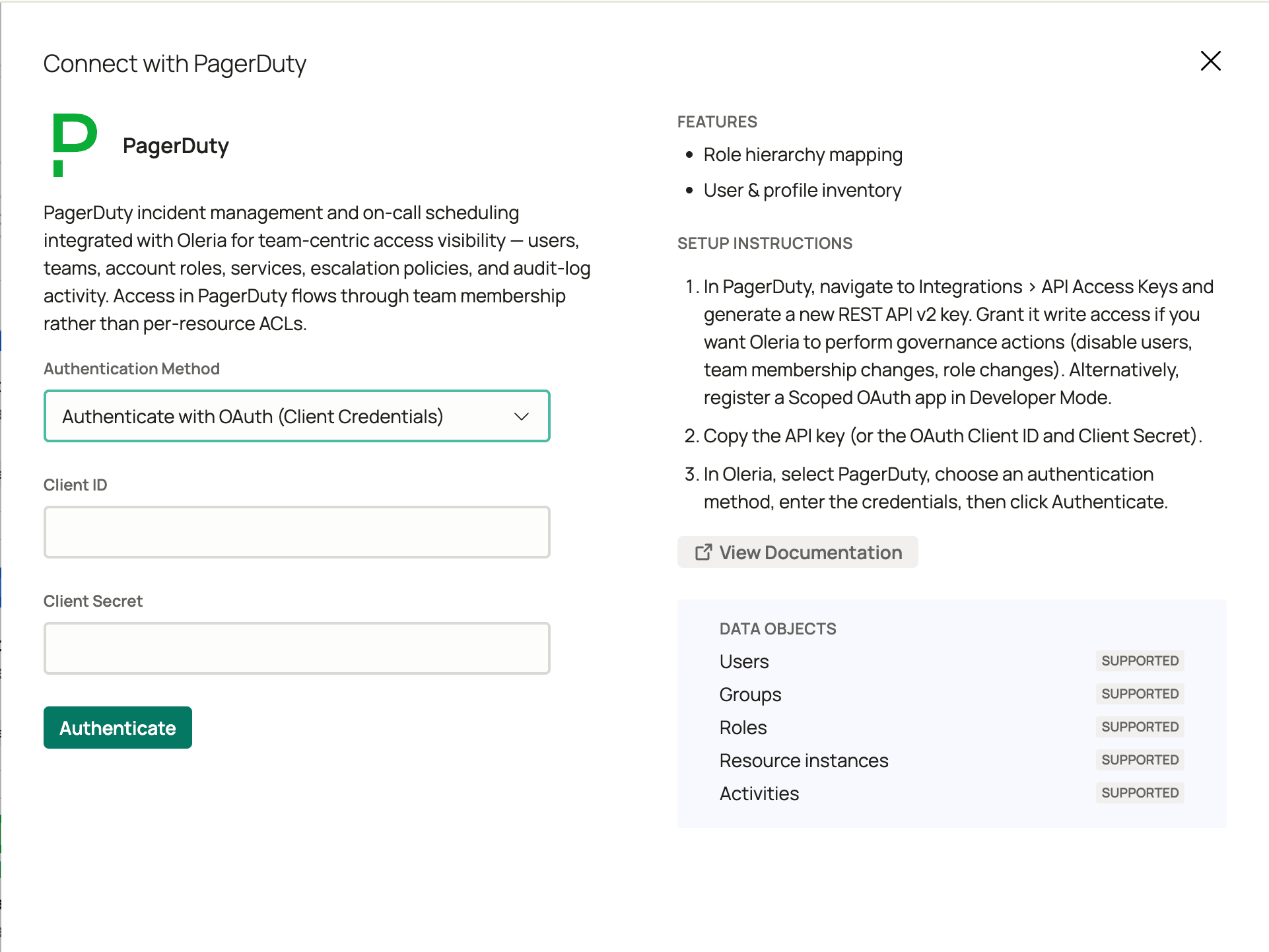
Oleria supports two authentication methods. Choose the one that fits your environment, then follow the steps for that method end-to-end.- Option A: API token (Recommended)
- Option B: OAuth client credentials
1
Open API Access Keys in PagerDuty
Sign in to PagerDuty as an admin, navigate to Integrations -> Developer Tools -> API Access Keys, and select Create New API Key.
2
Configure and copy the key
Enter a description (for example,
Oleria connector). The key type is General Access REST API Keys. Within that type, a Read-only API Key checkbox limits the key to read-only access:- Check “Read-only API Key” - for discovery only (accounts, teams, services, and escalation policies). For audit activity, see Known limitations.
- Leave unchecked - required if you want Oleria to perform remediation actions such as deleting users, revoking sessions, adding or removing team members, or changing account roles
3
Connect in Oleria
Go to your Oleria workspace, select Integrations -> select PagerDuty. Select Continue and fill in the connection form: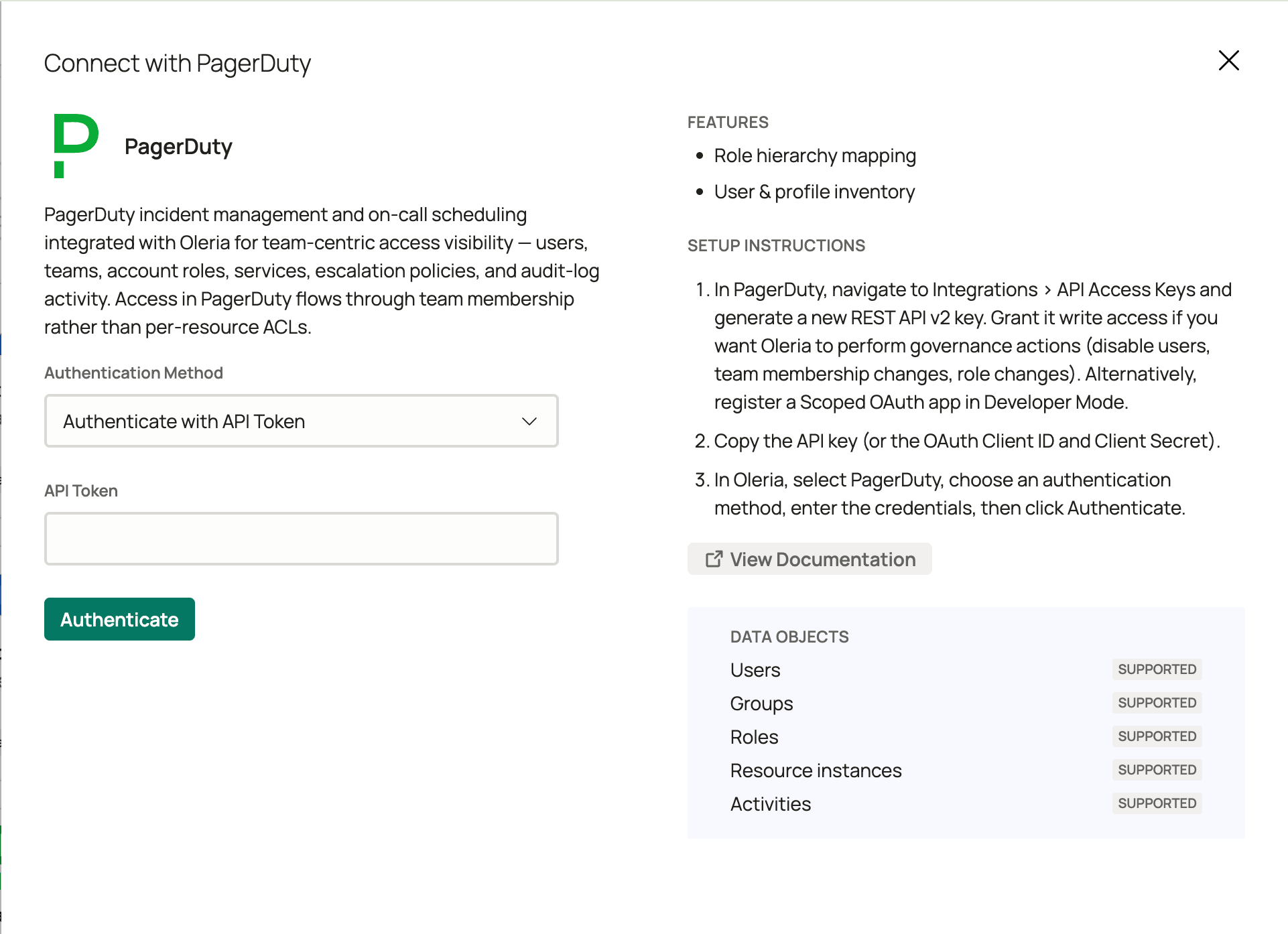
Select Authenticate to validate and save the integration. Oleria checks the credentials against PagerDuty before saving.
Verify the integration
Confirm the PagerDuty instance appears on the Connected tab of your Oleria Integrations page. After the first sync completes, you can review the discovered accounts, teams, services, and escalation policies in your Oleria workspace.If you rotate the API token or regenerate the OAuth client secret, update the credentials in Oleria by editing the integration. Revoked or expired credentials will cause discovery to stop.
Remediation actions
Beyond discovery, Oleria can act on PagerDuty access to remediate risk. Remediation actions require a General Access API token or an OAuth app with write scopes.Session revocation has no effect on sessions managed by a SAML single sign-on (SSO) identity provider. The identity provider controls those sessions directly - this is a PagerDuty API limitation, not an Oleria gap.
Known limitations
- No disable or suspend state - PagerDuty has no concept of a disabled or suspended user. Deleting a user is the only deprovisioning path and is permanent.
- MFA and SSO enrollment - multi-factor authentication (MFA) and SSO enrollment status are not available via the PagerDuty API. Oleria reports these fields as unavailable, not as a false negative.
- Audit logs - audit activity requires a Business or Enterprise plan and credentials with audit access (for an OAuth app, the
audit_records.readscope). If either is missing, Oleria syncs without audit activity and shows no error. If you’re on a paid plan and see no audit activity, check that your credentials include audit access.