1
Open integrated applications
Go to Governance -> Access Requests -> Integrated applications. Applications you have not set up for requests yet are tagged Not configured. Select the application you want to configure.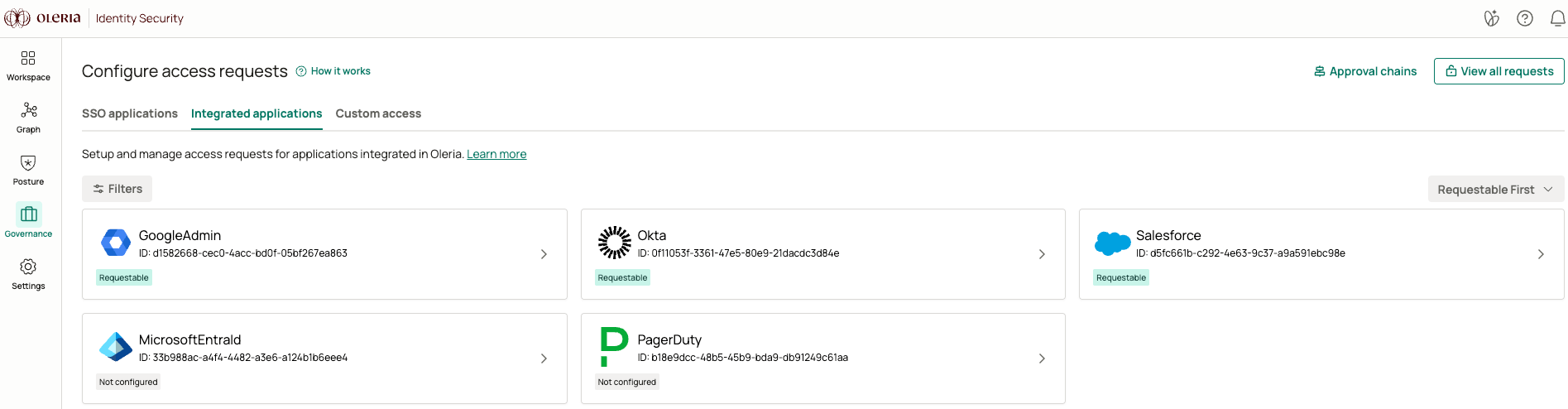
2
Allow users to request access
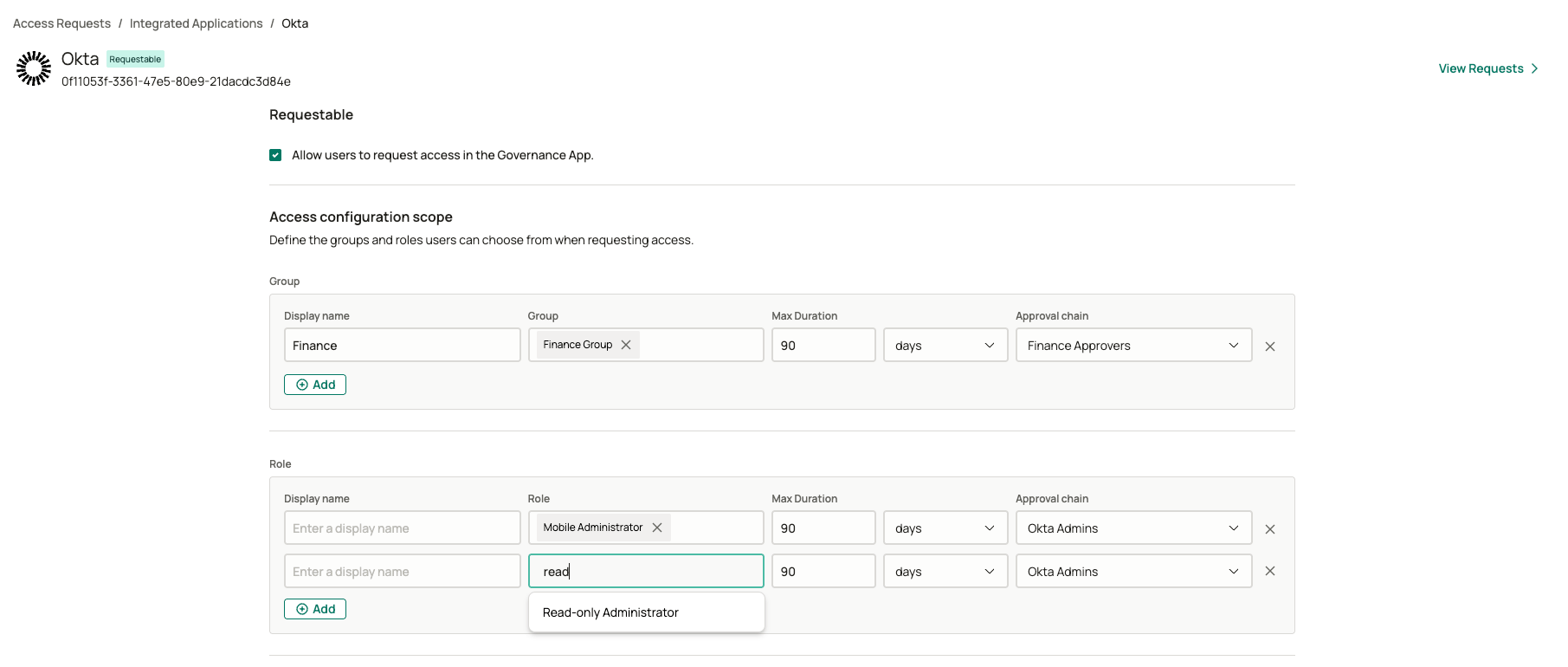
Select Allow users to request access in the Governance App.
3
Define requestable groups and roles
Under Access configuration scope, add rows to the Group table, the Role table, or both. For every row, set:
- Display name - the label employees see in the request form.
- Group or Role - the entitlement Oleria grants once the request is approved.
- Max Duration - the longest access can be granted for at this level.
-
Approval chain - the approval chain that governs requests for this level.
Requesting integrated applications
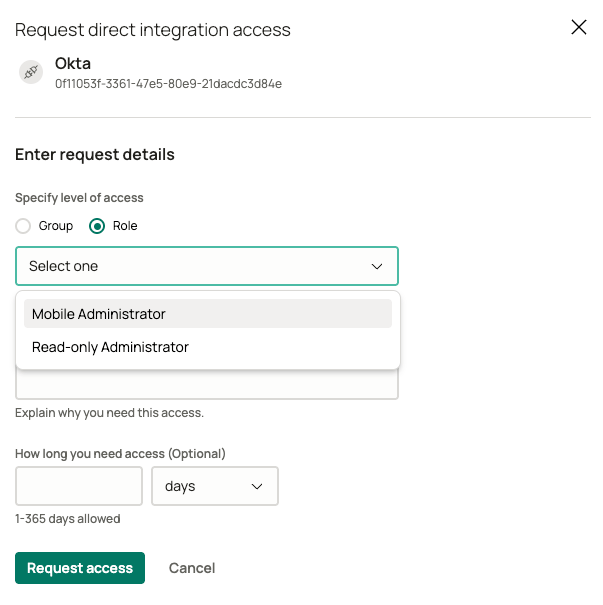
Employees request integrated applications from the same Requests catalog. The Request direct integration access form asks whether they need a Group or a Role, then lists the levels you configured for that choice. Justification and duration work the same way as they do for SSO applications.