

What you can do with Account Hygiene
- Manage inactive accounts - identify and adjust access for user accounts that have been inactive for more than 30 days, reducing your attack surface and ensuring compliance.
- Review administrator access - identify administrators and adjust permissions where continual admin-level access is no longer justified.
- Identify dormant SaaS usage - surface underutilized SaaS application subscriptions to optimize access, reduce license costs, and shrink the attack surface.
- Clean up unnecessary permissions - identify and remove permissions that are no longer needed across human and machine accounts.
Use cases
Inactive user management
Organizations have user and machine accounts with permissions that accumulate over time. As users change roles, complete projects, or disengage from platforms, their accounts remain active and retain their permissions - creating risk if compromised. Oleria identifies all inactive accounts - accounts that have not been active for more than 30 days. Removing access to inactive accounts improves security, reduces active license costs, and supports compliance.Informed access decisions and suspicious access detection
Granting the right permissions for the right job is critical. Too little access reduces productivity; too much creates risk. Organizations need a way to make well-informed decisions about access levels for both employees and partners. Oleria analyzes the access and activity levels of human and machine accounts, providing the insights you need to make informed access decisions and quickly identify suspicious or unauthorized access attempts.Compliance assurance in regulated environments
Regulated organizations must understand whether access is legitimate based on each employee’s job function - for example, whether it is compliant for a help desk employee to access sensitive customer data. Oleria simplifies this assessment by analyzing user activity and evaluating access patterns against job function, making it easier to determine whether access is appropriate and document your reasoning.Administrator-level access review
Over time, organizations grant administrator-level access to many employees across multiple departments. Excessive admin access increases security risk and complicates access management. Oleria identifies administrators and their access patterns, so you can assess whether continual admin-level access is necessary and minimize potential risk where it is not.Privileged account monitoring
Organizations handling sensitive data and critical transactions need visibility into privileged account activity to protect resources and maintain operational resilience. Oleria monitors privileged account activity to detect and respond promptly to suspicious or unauthorized access, ensuring application security and performance.Dormant SaaS application identification
Organizations accumulate SaaS subscriptions over time, some of which become underutilized or dormant. Identifying and acting on dormant usage reduces costs and shrinks the attack surface. Oleria provides insights into dormant SaaS application usage across your organization, enabling you to optimize access, reduce unnecessary permissions, and cut spending on underused licenses.Access and activity insights across SaaS applications
Organizations need visibility into access and activity across their SaaS portfolio to optimize usage, improve security, and meet compliance requirements. Oleria surfaces access and activity levels for human and machine accounts across specific or multiple SaaS applications, enabling targeted action to minimize your attack surface.Unnecessary permission identification
As applications and teams evolve, user accounts and roles accumulate permissions that are no longer needed. This permission sprawl increases the organization’s attack surface and vulnerability exposure. Oleria analyzes access and activity for both human and machine accounts, giving you the insights to identify and act on permissions that are no longer needed and reduce your attack surface.Dormancy chart
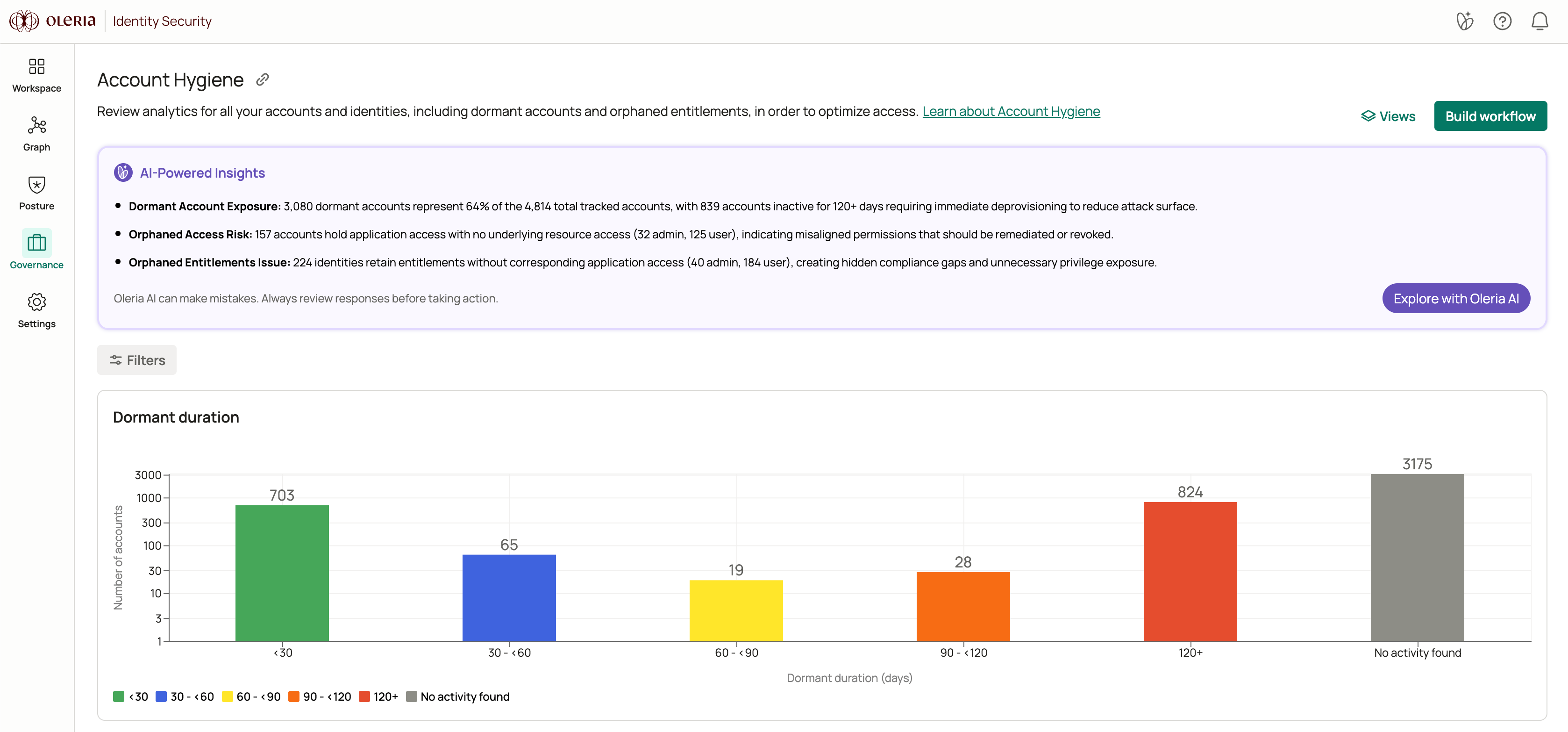
The dormancy chart shows the distribution of account inactivity across your environment. Any account inactive for more than 30 days is considered dormant. Accounts are grouped into five ranges, each color-coded to signal urgency:
To act on dormant accounts, see Disable dormant accounts.
Accounts table
The accounts table lists all accounts matching your current filters.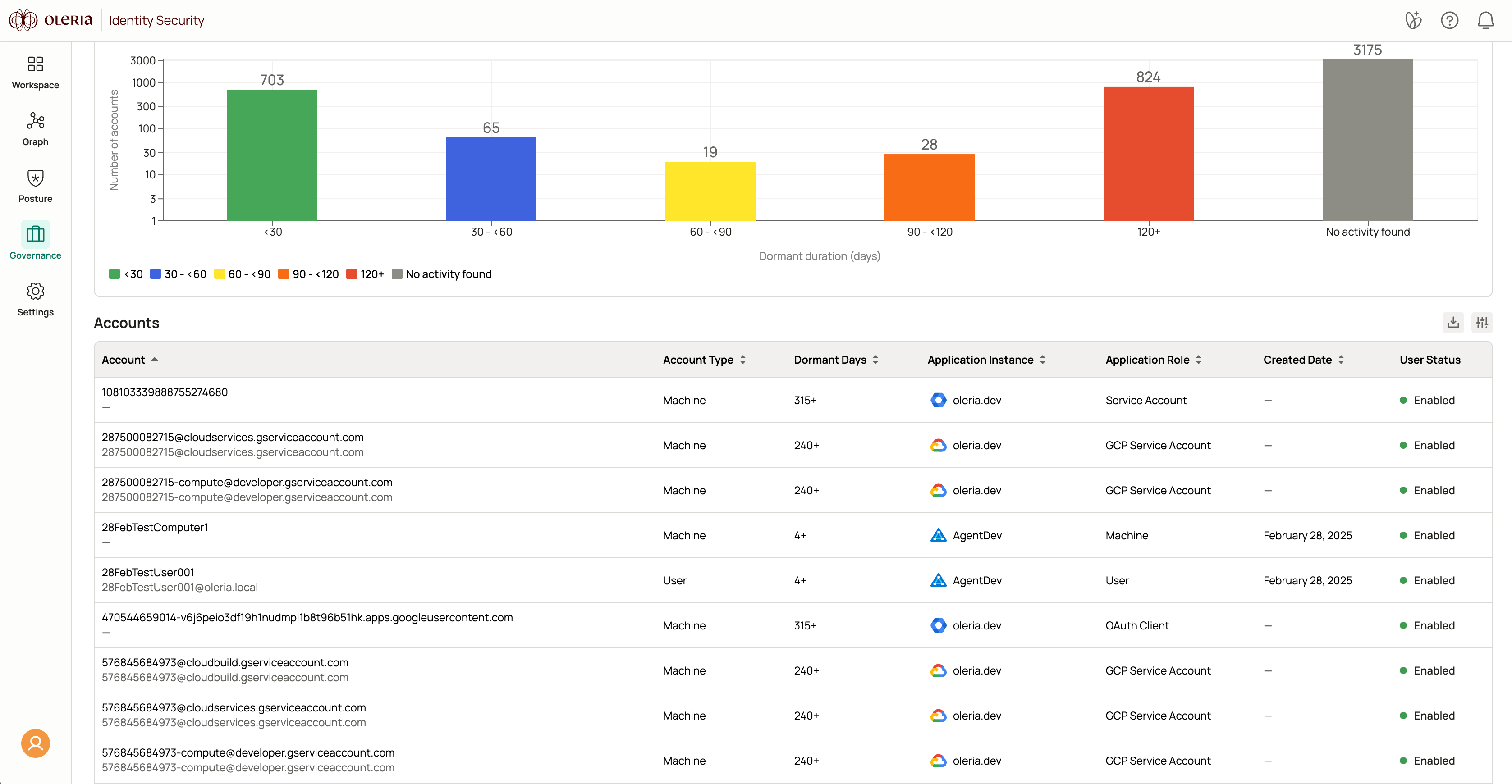
Details panel
Selecting a row opens a details panel. The fields shown depend on the account type.Application accounts
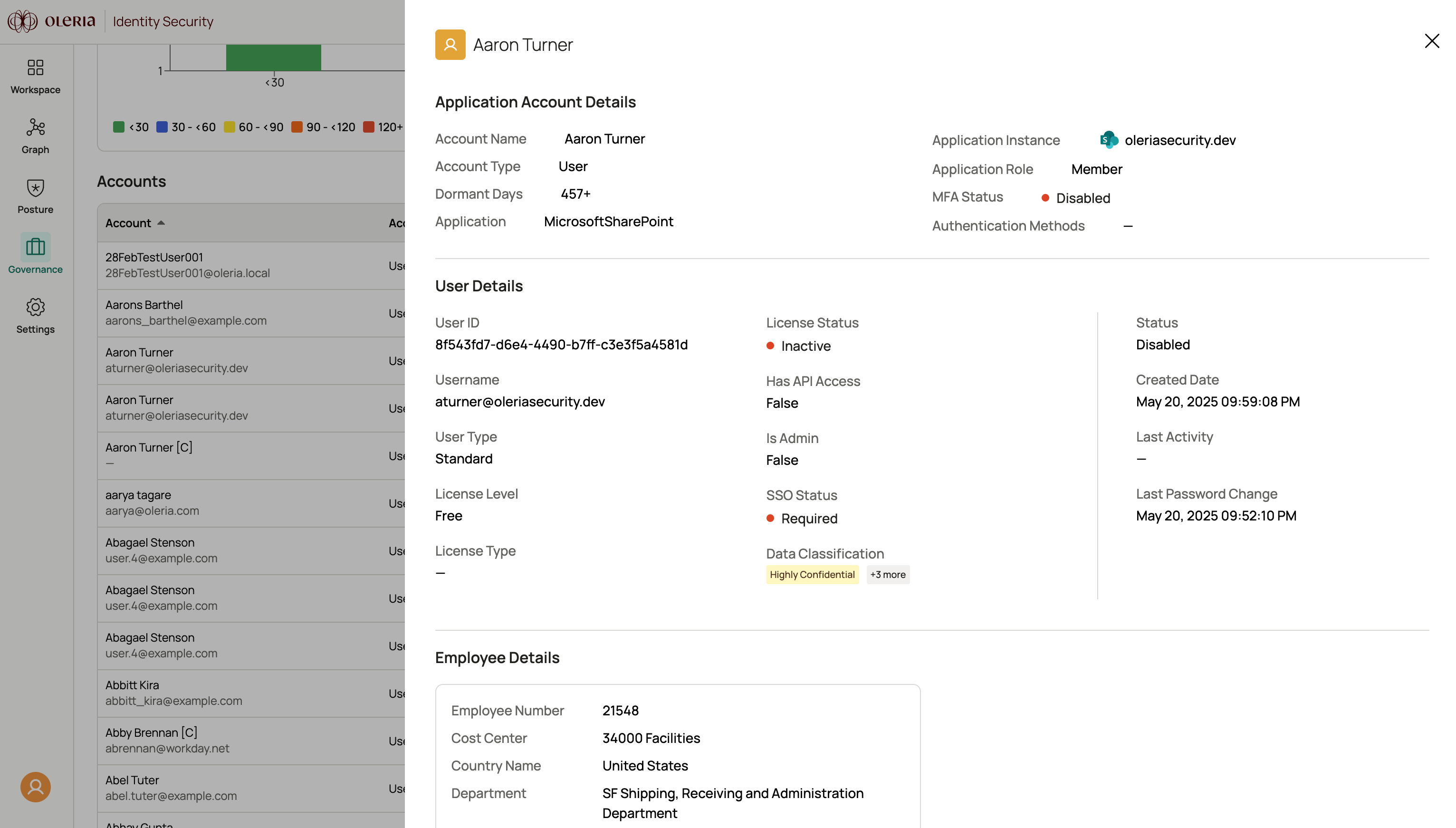
User details
Identities
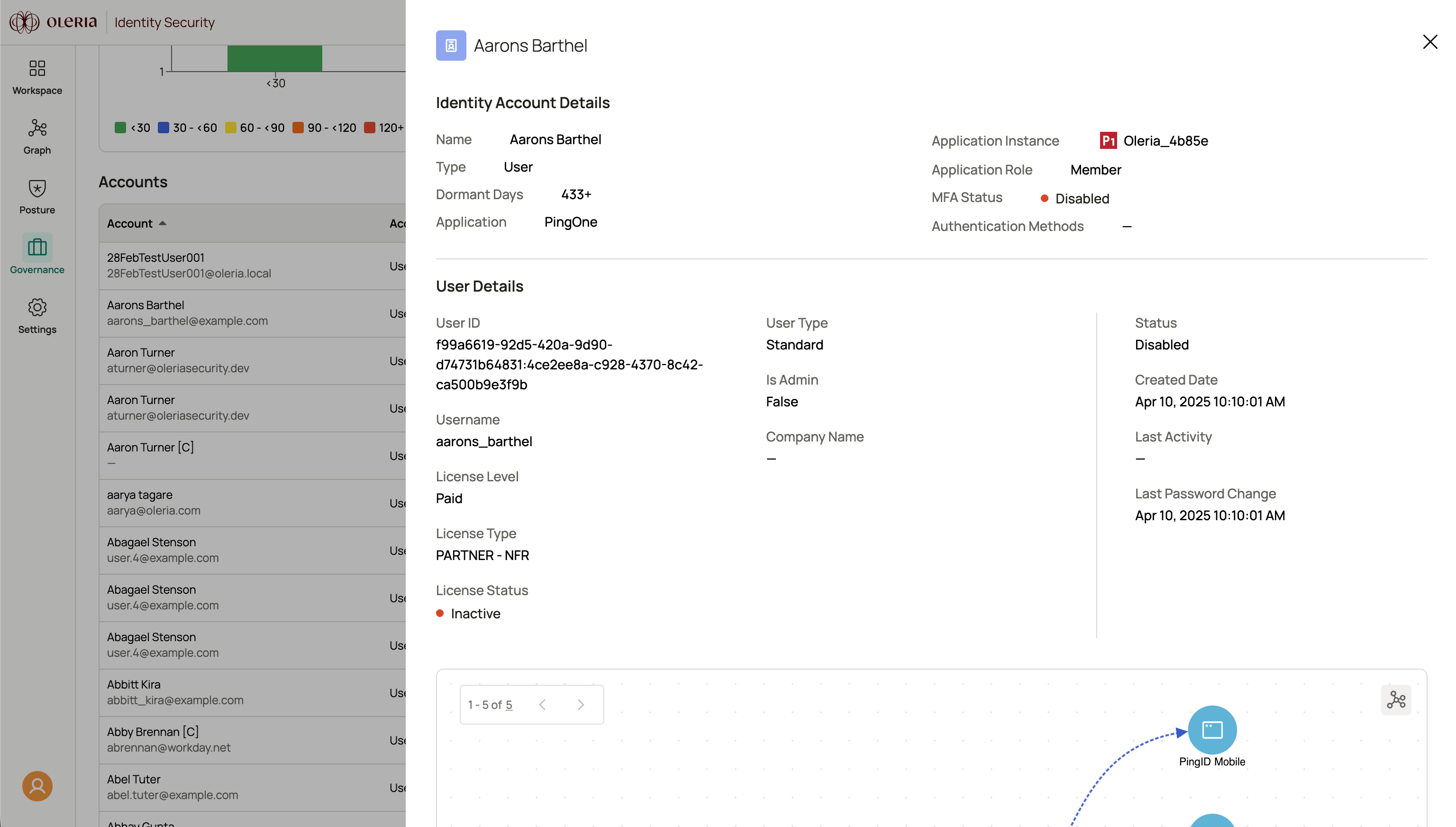
User details
Directory entries
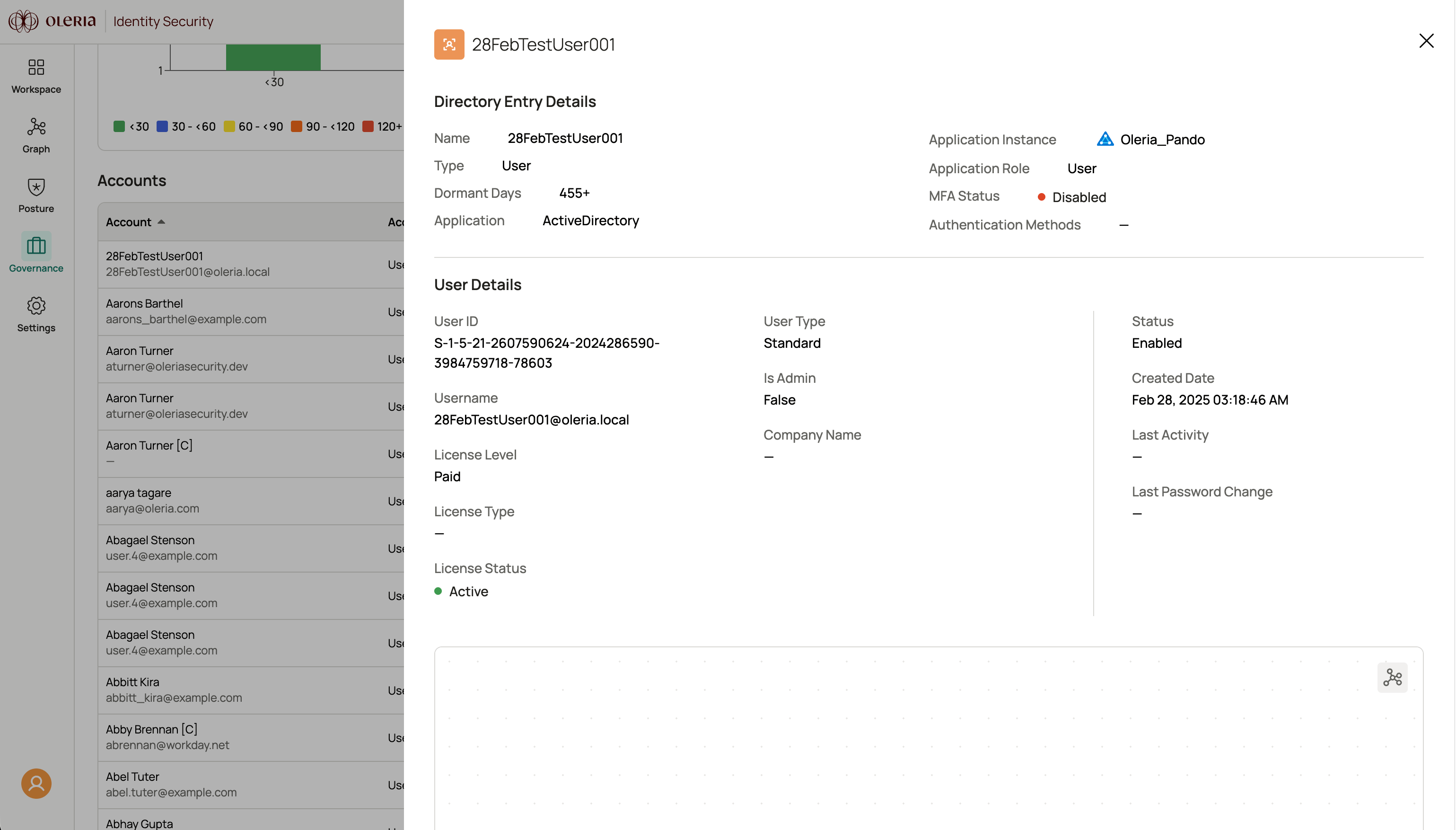
User details