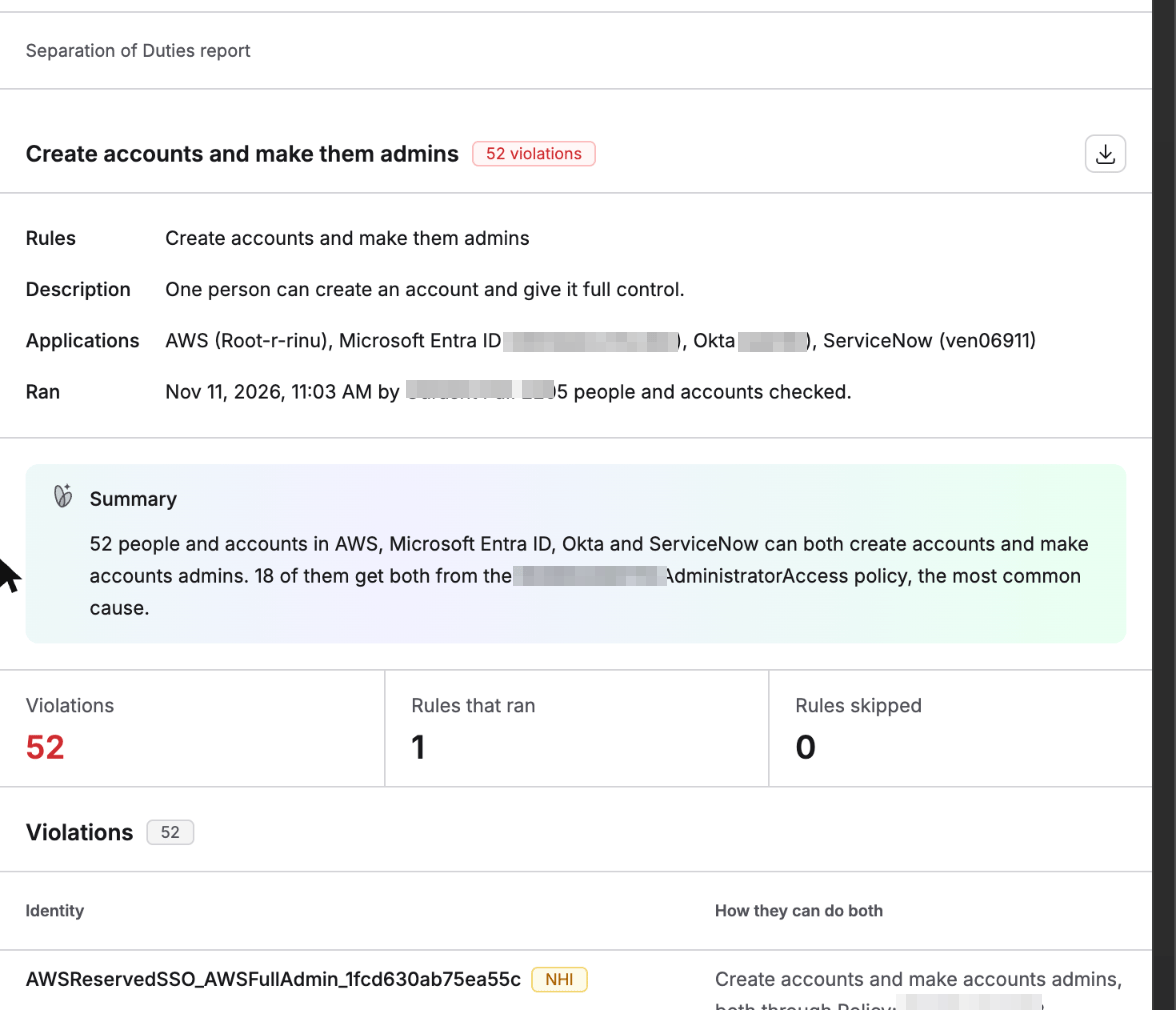

Available on request. Contact your Oleria representative to turn it on for your workspace.
How it works
1
Pick a rule
Start from one of the 18 ready-made rules, or describe your own conflict in plain language.
2
Pick the applications
Choose which connected applications the rule should check.
3
Find who can do both
Oleria links each person’s accounts across those applications and checks their roles, groups, and permissions for the conflicting pair of actions.
4
Fix and share
Review the violations and the recommended fixes, then download the report as a PDF.
Available rules
The Available tab lists the 18 ready-made rules, grouped into four categories: Access administration, Cloud privilege, Change management, and Controls and audit trail. Each rule names the conflicting pair of actions in plain language - for example, “One person can approve access and grant it with no second check.”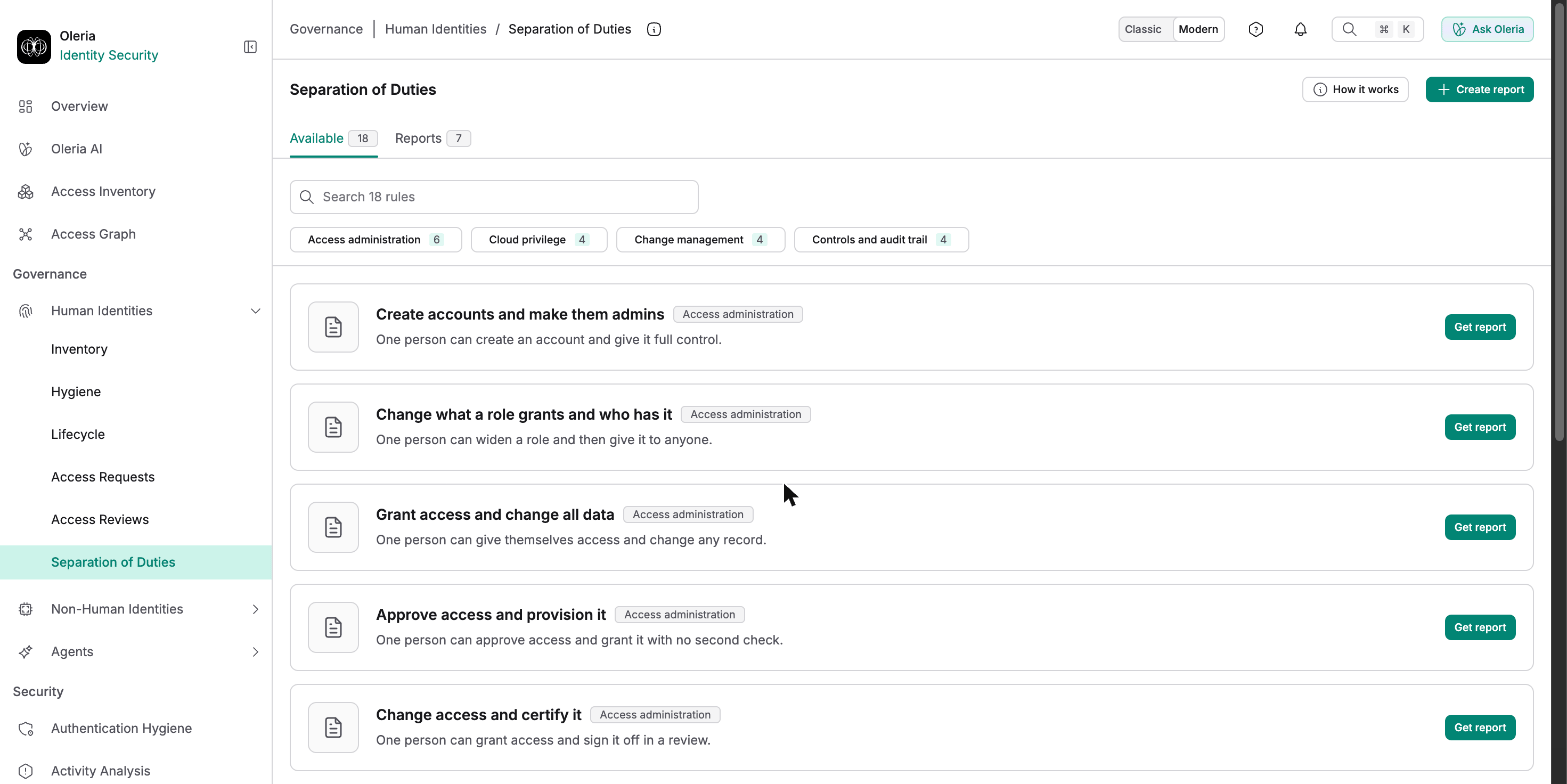
Describing your own conflict instead of picking a ready-made rule runs as a one-off query rather than a saved rule. If it clearly names two conflicting jobs, Oleria runs a full check just like a ready-made rule. If it doesn’t, the report is tagged Not a rule instead.
Reports
The Reports tab lists every report that’s been run, with the rule, the applications it covered, the result (a violation count, or Not a rule when a custom query doesn’t name two clear conflicting jobs), who ran it, and when. Select View report to open one, or use the download icon to get its PDF directly.