> ## Documentation Index
> Fetch the complete documentation index at: https://docs.oleria.com/llms.txt
> Use this file to discover all available pages before exploring further.
# Oracle HCM Integration
Oleria provides identity security and access management teams with visibility and intelligence into who has access to what, where they got that access, how they use it, and whether they should even have it. As part of that promise, we deeply integrate your Oracle HCM into the Oleria platform. Follow these steps to integrate Oracle HCM with your Oleria workspace.
## Prerequisites
1. Admin access on Oleria platform
2. Integration service user with admin privileges in Oracle HCM for integrating with Oleria
## Connect Oracle HCM to Oleria
Click **Add Integration** for Oracle HCM.
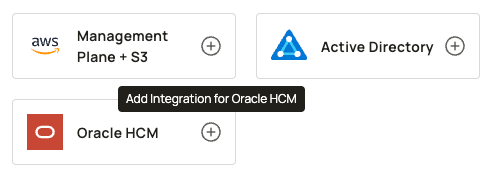 Enter the server URL. This is the URL that is used to access your Oracle HCM instance internally.
Enter the Username and password for the service user created for integration with Oleria.
Enter the server URL. This is the URL that is used to access your Oracle HCM instance internally.
Enter the Username and password for the service user created for integration with Oleria.
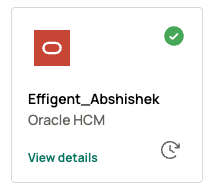
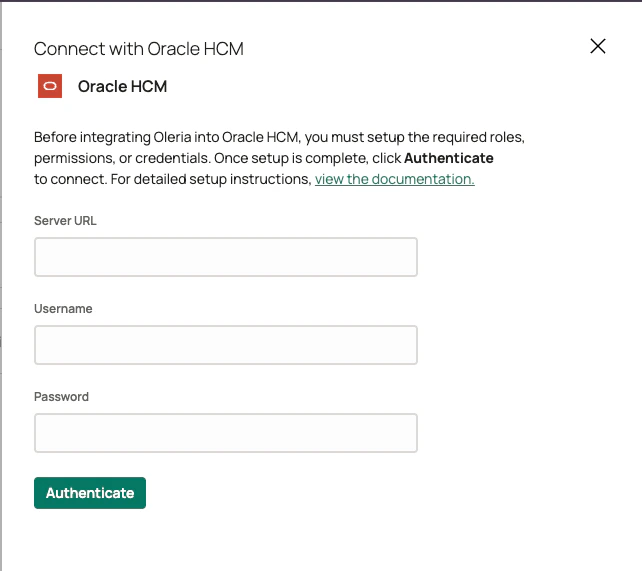 Click **Authenticate**. On successful authentication, you'll find the newly integrated Oracle HCM instance in your connected integrations.
 ## Verify the Integration
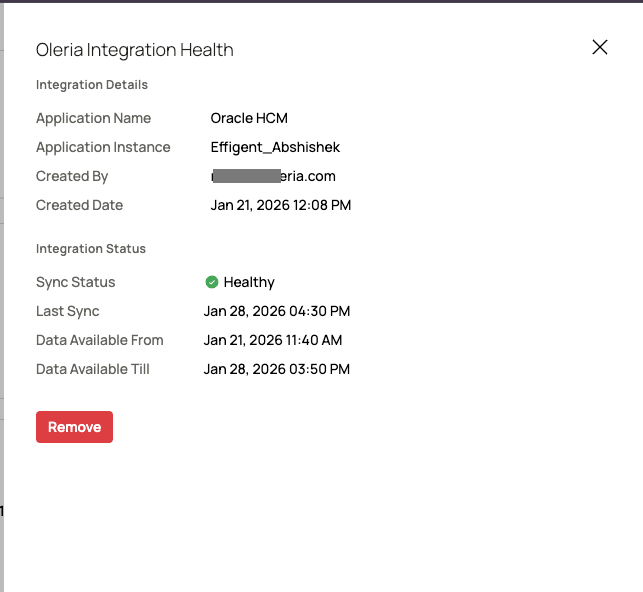
Select **View Details** on the Oracle HCM integration in your connected integrations page to view the integration health status.
## Verify the Integration
Select **View Details** on the Oracle HCM integration in your connected integrations page to view the integration health status.
 ## Contact us
For questions about this integration, contact us at [support@oleria.com](mailto:support@oleria.com).
## Contact us
For questions about this integration, contact us at [support@oleria.com](mailto:support@oleria.com).