> ## Documentation Index
> Fetch the complete documentation index at: https://docs.oleria.com/llms.txt
> Use this file to discover all available pages before exploring further.
# Approval Chains
> Define the sequence of approvals every access request must clear, from manual review to automatic and webhook-driven decisions.
An approval chain is a sequence of steps that must be completed in order. When a step is approved, the next step activates automatically. Every step must approve for access to be granted - if any step denies the request, the chain stops immediately and the request is denied.
## Approval methods
Each step uses one of the following approval methods:
| Approval method | How it decides |
| :---------------------------------- | :------------------------------------------------------------------------------------------------------------------------------------------------------------------------------------------------------------------------------------------------------------ |
| Manual | One or more approvers must review and approve the request. |
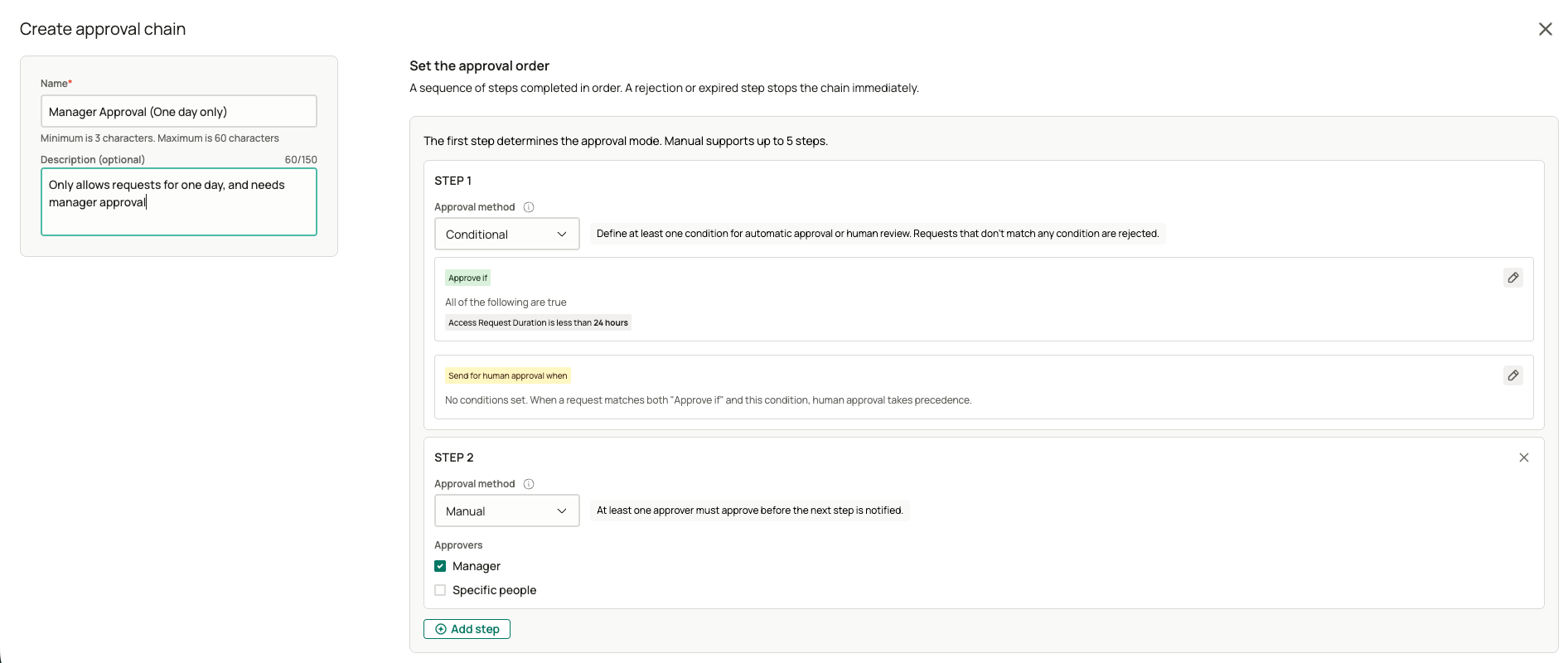
| Conditional | Oleria evaluates the request against conditions you define. Requests that match an approval condition are approved automatically; requests that match a human-review condition are routed to approvers. Requests that match neither are denied automatically. |
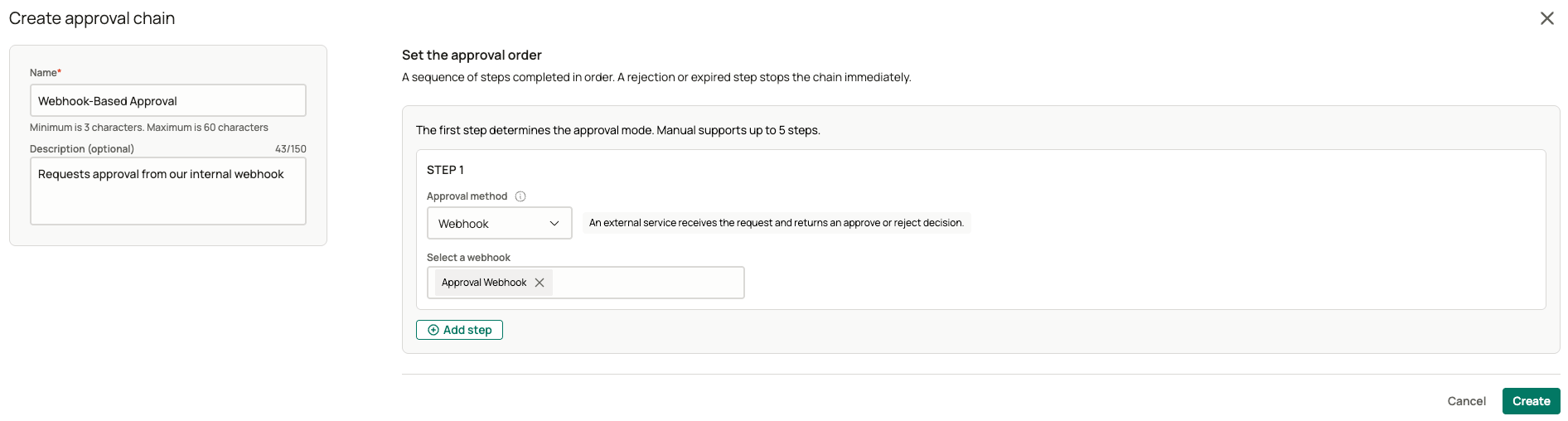
| [Webhook](/administration/webhooks) | An external service you configure receives the request and returns an approve or deny decision. |
| Always approve | No approvers are needed - the step approves automatically. You can add a delay before the automatic approval resolves. Always approve can't be combined with other steps - it must be the only step in the chain. |
For manual and conditional steps, approvers can be the requester's manager or a specific list of people you choose. If an approver would be reviewing their own request, Oleria skips them and falls back to the next available approver.
Oleria doesn't allow a request to have no valid approver. If every possible approver resolves back to the requester, the request can't be submitted.
## Creating an approval chain
In the admin portal, at youroleriainstancename.oleria.io, go to **Governance** -> **Access Requests** -> **Approval chains**, and select **New chain**.
Give the chain a name and, optionally, a description.
Add up to five steps. For each step, choose one of the [approval methods](#approval-methods) above and configure it.
 Select **Save**. Editing a chain later creates a new version - requests already in progress continue on the version they started with.
Once a chain exists, assign it to a level of access on an [SSO application](/governance/sso-applications), an [integrated application](/governance/integrated-applications), or a [Custom Access](/governance/custom-access) item.
## Contact us
For questions, contact us at [support@oleria.com](mailto:support@oleria.com).
Select **Save**. Editing a chain later creates a new version - requests already in progress continue on the version they started with.
Once a chain exists, assign it to a level of access on an [SSO application](/governance/sso-applications), an [integrated application](/governance/integrated-applications), or a [Custom Access](/governance/custom-access) item.
## Contact us
For questions, contact us at [support@oleria.com](mailto:support@oleria.com).